

How to Train Your Staff on ChiroTouch Cloud Billing Features?
Training your staff on ChiroTouch Cloud billing features requires moving beyond basic navigation to mastering the system's advanced security and reconciliation layers. Effective training must focus on managing real-time Multi-Factor Authentication (MFA) prompts during batch transmissions, auditing the “Unlinked Claim Responses” queue for orphaned payments, and verifying that claims marked as “Sent” in the dashboard have actually been accepted by the clearinghouse.
ChiroTouch Cloud operates differently than the legacy server environment. The Cloud version introduced API-based clearinghouse connections and OAuth 2.0 authentication layers that didn’t exist before. If your team was trained on the server version — or trained only on the vendor’s getting-started resources — there are specific failure points in the new system they have likely never been shown.
Most staff can navigate a screen. That’s not the problem. The problem is knowing what to do when the screen shows one thing and the clearinghouse shows another. That gap is where revenue goes quiet.
The Cloud environment has three failure points that standard vendor onboarding doesn’t cover. First, the “Sent” status in ChiroTouch is a local status — it confirms the system initiated a transmission, not that the clearinghouse received it. An OAuth 2.0 handshake failure can interrupt a batch mid-transmission and leave claims in a permanent local “Sent” state while they never moved. Second, the “Unlinked Claim Responses” queue collects payments that arrived from the clearinghouse but couldn’t auto-post because charge identifiers changed during migration. Those payments don’t generate alerts. They sit until someone is trained to find them. Third, provider macros from the server version don’t transfer to Cloud — they must be manually rebuilt, and if AT modifier logic wasn’t rebuilt correctly, Medicare claims are going out without required modifiers.
This article covers the specific billing functions that require trained oversight — claim transmission verification, ERA reconciliation, AT modifier compliance for Medicare visits, and the post-migration audit habits that protect your revenue from the first 60 days forward. It is written for practice managers and billing staff who are past the basic setup and need to understand what the system will not tell them on its own.
Last Updated: April 20, 2026
- Why ChiroTouch Cloud Training Is Not the Same as Software Orientation
- The Core Billing Functions That Require Trained Oversight
- Building a Forensic Training Framework for Your Billing Team
- This Is Not the Right Fit for Every Practice
- Frequently Asked Questions
- Why do claims stay in “Pending Submission” after training?
- Where do we find missing money after migration?
- Does ChiroTouch Cloud handle the AT modifier automatically?
- How often should staff check the clearinghouse portal?
- Can we use old server macros in ChiroTouch Cloud?
- What’s the difference between a clearinghouse rejection and a payer denial?
- Conclusion
Why ChiroTouch Cloud Training Is Not the Same as Software Orientation
Vendor onboarding teaches your team how to use ChiroTouch Cloud. That’s not the same as teaching them how to protect your revenue inside it.
There’s a version of this article that walks through the platform’s menus and explains where each button lives. That’s not this article. This one is about the three categories of billing failure that standard training skips — and what your team needs to know to catch them before they compound.
The Vendor Training Gap
ChiroTouch’s onboarding is product training. It covers navigation, charge entry, and batch submission. It teaches the interface well. It doesn’t teach what happens when the interface lies to you.
Here’s what it typically omits:
- MFA interruption behavior (process-specific) — When ChiroTouch Cloud sends a batch, it requires Multi-Factor Authentication through an OAuth 2.0 handshake with the clearinghouse. If that handshake fails mid-transmission, the system marks claims as “Sent” without confirming clearinghouse receipt. Standard training never covers what this looks like or how to catch it.
- Unlinked ERA behavior (migration-specific) — During migration from the server version, charge identifiers often change. Payments from the clearinghouse arrive and cannot auto-post because the system can’t match them to the new charge records. They land in an “Unlinked Claim Responses” queue — and sit there indefinitely unless someone is trained to look.
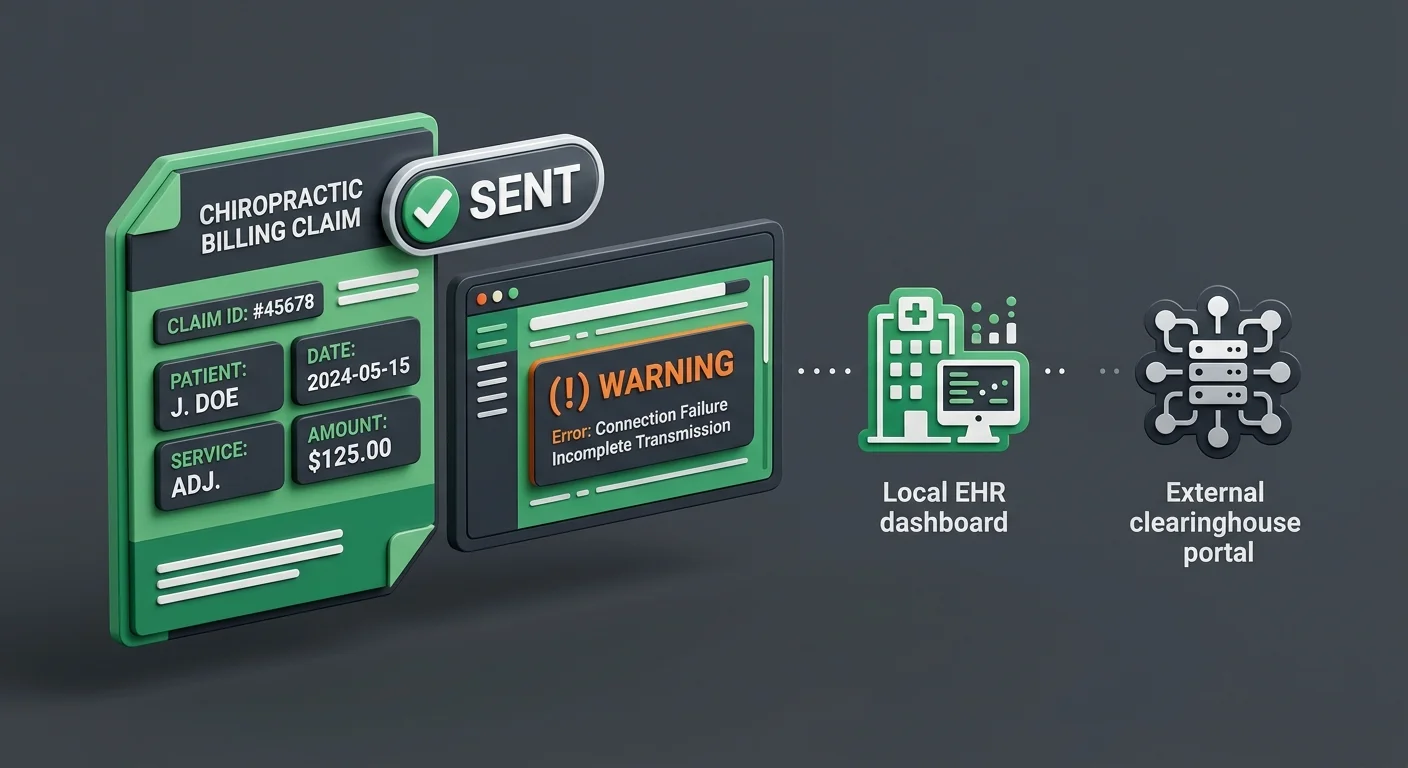
- Clearinghouse portal independence (workflow-specific) — The EHR dashboard and the clearinghouse portal are two separate systems. What shows as “Sent” in ChiroTouch is a local status, not a clearinghouse confirmation. If your team doesn’t log into the clearinghouse portal independently, they have no way to know whether their transmissions are landing.
None of these are edge cases. They’re predictable behaviors in a Cloud migration environment — which is exactly why they need to be part of every staff training conversation.
The stakes aren’t theoretical. According to the CMS Medicare Compliance Tips for chiropractic services, chiropractic services face an improper payment rate of 33.6%, with documentation and authentication errors as primary drivers. A training program that doesn’t address authentication behavior isn’t protecting you in the environment your practice actually operates in.
That’s why full-service chiropractic billing depends on human oversight that goes beyond what the software can see — someone has to be watching the failure points the system won’t flag on its own.
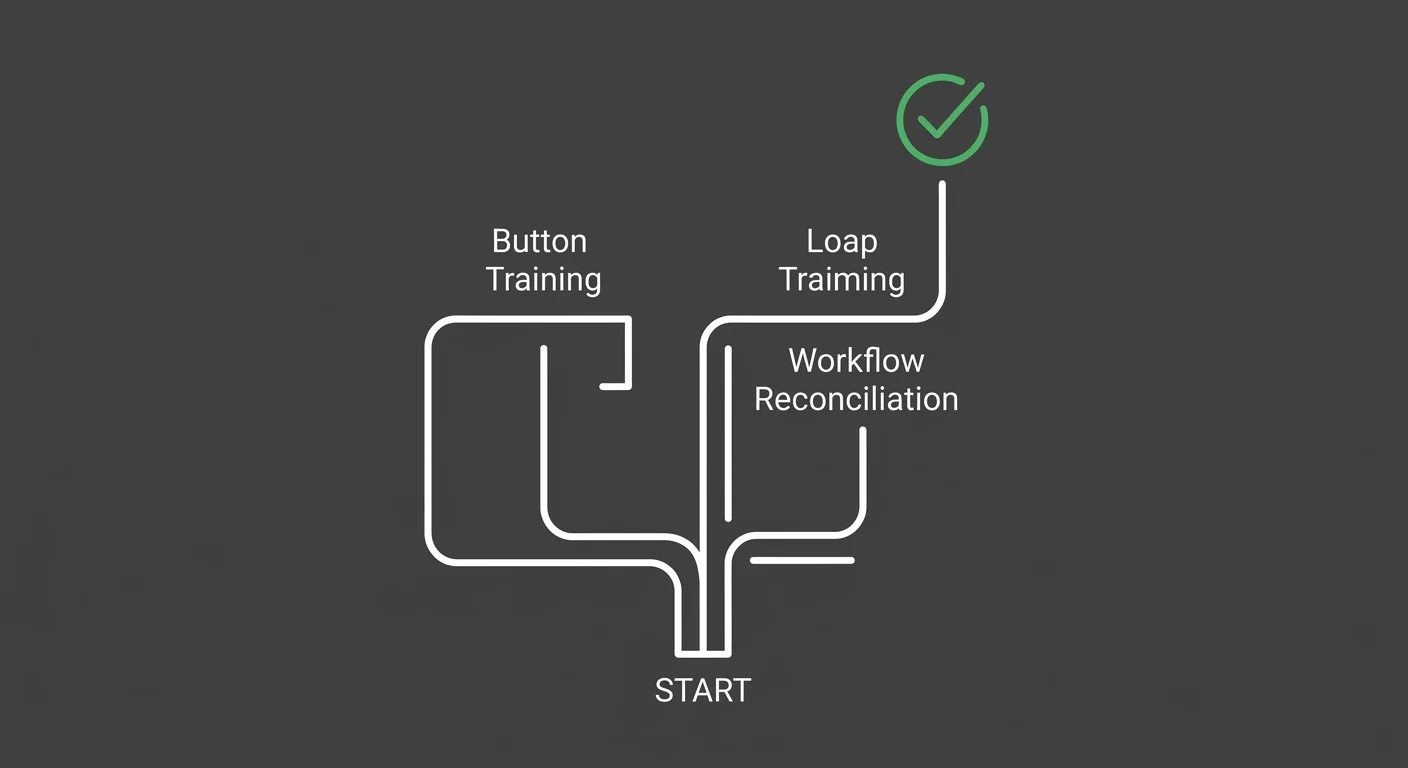
Button Training vs. Workflow Reconciliation
Most EHR training programs produce the same outcome: staff who can submit claims.
Button training teaches staff to use the software correctly. It’s functional, necessary, and not enough.
Workflow reconciliation training teaches staff to audit the software’s output — to compare what the EHR says happened against what the clearinghouse actually received, what the payer actually processed, and what the ERA actually posted.
The gap between those two things is where revenue disappears quietly.
The EHR Transition & Data Integrity Study published via PubMed (NIH) consistently identifies data mapping errors and unlinked records as significant risks during system migrations — risks that require human oversight to catch, not system automation. The software isn’t broken. It’s working exactly as designed. The problem is that “designed” and “sufficient” aren’t the same thing.
When a practice trains staff to reconcile the output instead of just generate it, they’ve built something the software can’t provide on its own — a second set of eyes that knows where to look. That distinction is also what separates ChiroTouch Cloud Specialists from general EHR support.
The Core Billing Functions That Require Trained Oversight
Three areas. None of them produce obvious error messages. All of them cost money when they go unmanaged.
Claim Submission and the “Sent” Status Problem
“Sent” doesn’t mean what your team thinks it means.
When a batch goes out and the dashboard shows “Sent,” it’s easy to assume the work is done. It isn’t. “Sent” in ChiroTouch Cloud is a local status. It records that the system initiated a transmission — not that the clearinghouse received or accepted it.
That distinction has a real cost. An OAuth 2.0 authentication failure can interrupt a batch after the “Sent” label is applied — and the claim never moves. It sits in a local “Sent” state. No flag. No alert. No indication that anything went wrong.
The distinction matters because:
- An OAuth 2.0 authentication failure can interrupt transmission after the “Sent” status is assigned — the system updates the local record without completing the clearinghouse handshake
- Clearinghouse rejection notices often route to a portal your team isn’t monitoring
- Claims can age past timely filing limits while sitting in a local “Sent” status, with no visible flag in the EHR
What trained staff should do instead:
- Log into the clearinghouse portal directly after every batch submission
- Compare batch IDs between the EHR submission log and the clearinghouse “Received” log
- Flag any discrepancy — even a single missing claim — before end of day
In the first 60 days after migration, this isn’t optional. It’s daily. Understanding why these status mismatches happen is also covered in depth when examining why ChiroTouch Cloud migration causes billing interruptions.
| ChiroTouch Cloud Status | What It Actually Means | Staff Action Required |
|---|---|---|
| Pending Submission | Claim created, not yet batched | Verify charge integrity before batching |
| Sent | Transmission initiated locally | Confirm receipt in clearinghouse portal |
| Received (Clearinghouse) | Clearinghouse accepted the claim | Check for payer-level rejections |
| Rejected | Payer or clearinghouse returned an error | Review rejection reason code within 24 hours |
| Paid | ERA posted and matched to charge record | Confirm ERA linked — not sitting in Unlinked queue |
Submission speed is the wrong metric. A claim that moves fast but doesn’t land isn’t efficient — it’s a denial waiting to be discovered too late.
ERA Reconciliation and the Unlinked Claim Responses Queue
This is the queue most practices don’t know exists.
When ChiroTouch migrates from server to Cloud, charge identifiers change. New internal IDs are generated. When ERAs arrive from the clearinghouse, they carry the old identifier references — and the Cloud system can’t match them automatically. The payment arrives. It can’t post. It lands in the “Unlinked Claim Responses” queue inside the Claims Worklist.
No alert. Doesn’t show on the standard AR report. Just sits there.
The longer it sits, the harder it is to reconcile. Payments age. Write-off thresholds approach. What started as a data-matching problem becomes a write-off decision your practice didn’t intend to make.
Trained staff responsibilities for ERA reconciliation:
- Daily queue check (first 60 days) — Open the “Unlinked Claim Responses” queue every morning and work every item before submitting new batches
- Manual match process — For each unlinked payment, locate the corresponding charge by patient name, date of service, and procedure code — do not use charge ID alone during migration transition
- Root cause documentation — Track why each payment was unlinked (identifier mismatch vs. duplicate charge vs. write-off error) so patterns can be escalated
- Weekly zero balance — Target zero unlinked items in the queue at the end of each week
| ERA Reconciliation Task | Frequency | Responsible Role | Risk If Skipped |
|---|---|---|---|
| Unlinked Claim Responses queue review | Daily (first 60 days) | Billing staff | Payments age into uncollectible status |
| Manual ERA match for migration-era claims | Per item as they appear | Billing staff | AR inflation, missed collections |
| Clearinghouse payment report vs. EHR post comparison | Weekly | Office manager or lead biller | Undetected underpayments |
| ERA batch reconciliation sign-off | Weekly | Office manager | Posting errors compound without oversight |
The money isn’t missing. It’s in the queue. Training your team to look there is the first step to getting it back. If you’re not sure how much is sitting there, reviewing common data transfer errors in chiropractic EHR migrations will show you how these identifier mismatches originate.
AT Modifier Compliance for Medicare Visits
Here’s the problem with most explanations of AT modifier compliance after a ChiroTouch migration: they focus on what the modifier is. Your team already knows what it is. What they may not know is whether it’s actually going on the claim right now — in the Cloud environment they just moved into.
The AT modifier designates that a chiropractic service is active and medically necessary — as opposed to maintenance care, which Medicare does not cover. It must appear on every covered chiropractic service for Medicare patients. Its absence, or incorrect application, is one of the primary drivers of the 33.6% improper payment rate documented in CMS Medicare Compliance Tips for chiropractic services in chiropractic claims.
What changed in the Cloud environment:
- Provider macros from the server version do not transfer automatically — they must be manually rebuilt in ChiroTouch Cloud
- The documentation-to-code link (the connection between the clinical note and the submitted procedure code) must be re-verified in the Cloud environment
- Staff trained on the server macro system may not know that Cloud macros behave differently in how they apply modifiers at the charge level
Staff training for AT modifier compliance:
- Macro audit — Review every rebuilt macro for correct AT modifier application before the first Medicare claim is submitted in the Cloud environment
- Documentation-to-code verification — Train staff to confirm the modifier is present in the charge record, not just assumed from the macro
- Spot-check protocol — Pull a weekly sample of 10 Medicare claims and verify AT modifier presence before submission
If the macro wasn’t rebuilt correctly, the AT modifier isn’t going on the claim — and the practice doesn’t know until a denial or an audit. This is one of the most direct paths to the billing interruptions documented in ChiroTouch Cloud migration cases.
Building a Forensic Training Framework for Your Billing Team
Most practices train staff once. They go through vendor onboarding, everyone gets their login, and the expectation is that normal billing resumes.
That works in a stable system. ChiroTouch Cloud during the migration window is not a stable system. Authentication behaviors are settling. Identifier mapping is still resolving. Migration artifacts are still surfacing. Training that doesn’t account for that environment will leave gaps — and gaps in billing produce predictable outcomes.
The Forensic Training Framework is a different model. It treats your billing team not as software users but as Revenue Guardians — people whose job isn’t just to submit claims but to verify what happened to them.
The First 60 Days: Daily Clearinghouse Verification
The first 60 days after migration are the highest-risk window your practice will face in the Cloud transition. This is when the failure modes are most active and the least visible.
Daily verification protocol for billing staff in this window:
- Log into the clearinghouse portal — independently of ChiroTouch — every morning before submitting new claims
- Compare yesterday’s batch ID list (from ChiroTouch submission log) against the clearinghouse “Received” log
- Document any discrepancies in a running reconciliation log
- Check the Unlinked Claim Responses queue before batching new claims
- Flag any “Pending Submission” claims more than 24 hours old for manual review
This isn’t extra work. It’s the work. The Deloitte EHR Migration Risk Framework consistently shows that staff productivity drops significantly during EHR transitions without structured, role-specific workflow training. Daily verification isn’t inefficiency — it’s the structure that keeps revenue from disappearing quietly in month one.
Practices that skip it and find problems at day 90 aren’t dealing with 90 days of billing errors. They’re dealing with 90 days of errors plus timely filing risk on claims they thought were submitted. That’s a different problem — and a harder one to recover from.
This is also the window where recovering lost claims data after a ChiroTouch server-to-cloud switch becomes relevant. If daily verification isn’t happening, recovery eventually becomes necessary.
The Ongoing Weekly Reconciliation Protocol
After the first 60 days, the cadence shifts. Daily drops to weekly — but it doesn’t disappear.
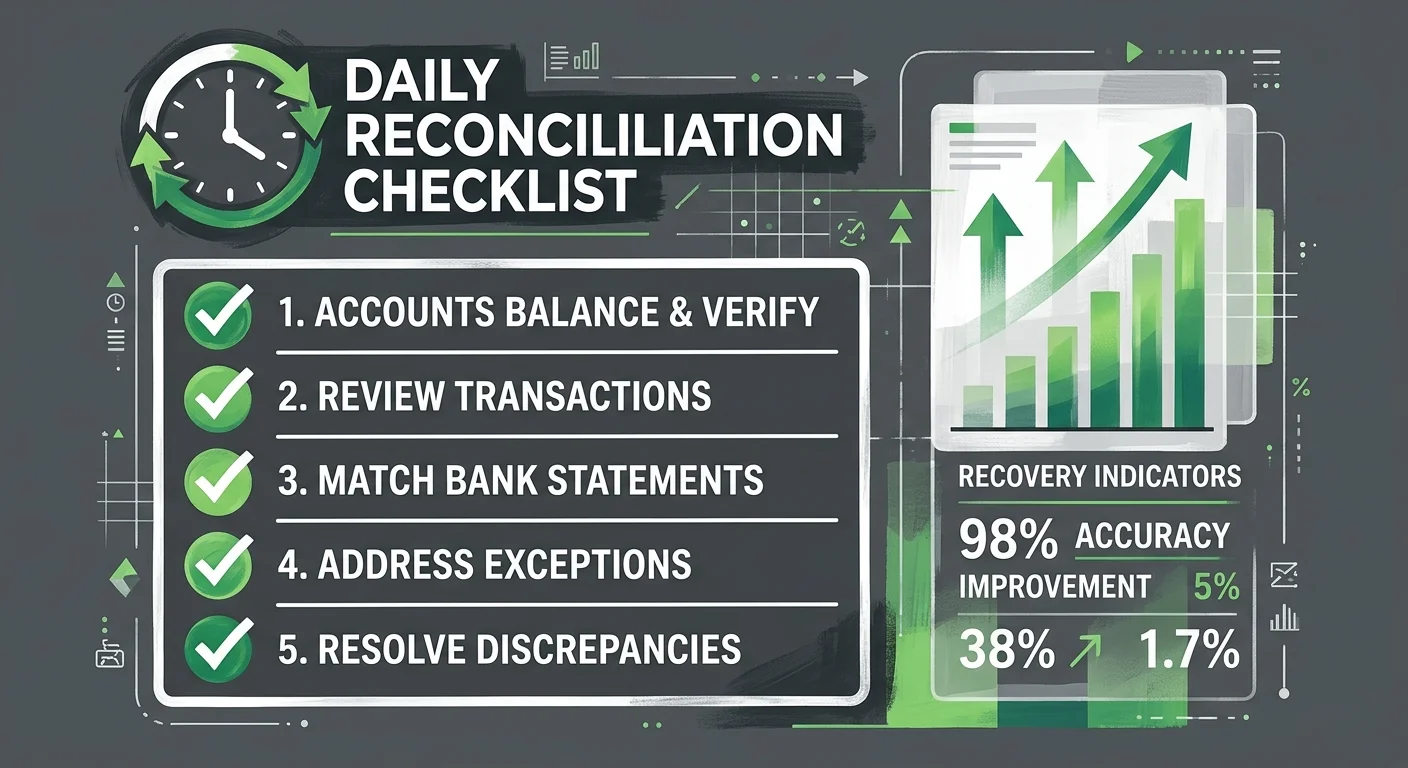
Weekly reconciliation checklist for billing staff:
- ERA reconciliation sign-off — Confirm that every ERA received in the past week has been matched and posted. Zero unlinked items.
- Denial pattern review — Pull the week’s rejection and denial codes. Log them. If the same code appears more than twice, it’s a pattern, not a coincidence.
- Clearinghouse vs. EHR comparison — Total the week’s paid amounts from the clearinghouse portal and compare to what posted in ChiroTouch. Discrepancies indicate a posting problem.
- Medicare claim spot-check — Sample 10 Medicare claims. Verify AT modifier presence and documentation link.
- Batch submission log review — Confirm that all batches from the week show “Received” status in the clearinghouse portal, not just “Sent” in the EHR.
The AAPC Medical Billing Audit Standards make clear that regular internal auditing practices are essential to catch technical errors that mask revenue leakage after a system switch. Weekly reconciliation isn’t a compliance exercise. It’s how you find problems before they become write-offs.
This is the habit structure that makes a billing workflow reliable — not assuming the new system performs like the old one, but verifying it. For practices still building that foundation, reestablishing your billing workflow after an EHR platform switch provides the broader framework.
Who Belongs in Each Training Track
Not every staff member needs the same training. The mistake isn’t leaving someone out — it’s giving everyone the same orientation, or giving the billing team basic orientation when they need advanced workflow training.
| Role | Training Focus | Frequency | Verification Responsibility |
|---|---|---|---|
| Front Desk | Charge entry accuracy, visit type documentation, care plan flags | Onboarding + quarterly review | Daily charge review before end of shift |
| Billing Staff | Clearinghouse reconciliation, ERA posting, Unlinked queue management, denial coding | Onboarding + monthly refresher | Daily (first 60 days), weekly ongoing |
| Office Manager | Denial pattern oversight, weekly reconciliation sign-off, escalation protocol | Onboarding + monthly | Weekly sign-off on reconciliation log |
| Provider | AT modifier documentation requirements, care plan documentation | Onboarding + as audit results indicate | Per-visit documentation compliance |
The billing staff track carries the most technical weight. These are the people who need clearinghouse portal access, ERA reconciliation workflow, and the ability to read the gap between what ChiroTouch is showing and what the clearinghouse is showing.
Office managers don’t run the daily work. They sign off on it — and they need to understand what they’re approving. The full-service chiropractic billing model provides this oversight layer when an internal team doesn’t have the bandwidth to carry it.
This Is Not the Right Fit for Every Practice
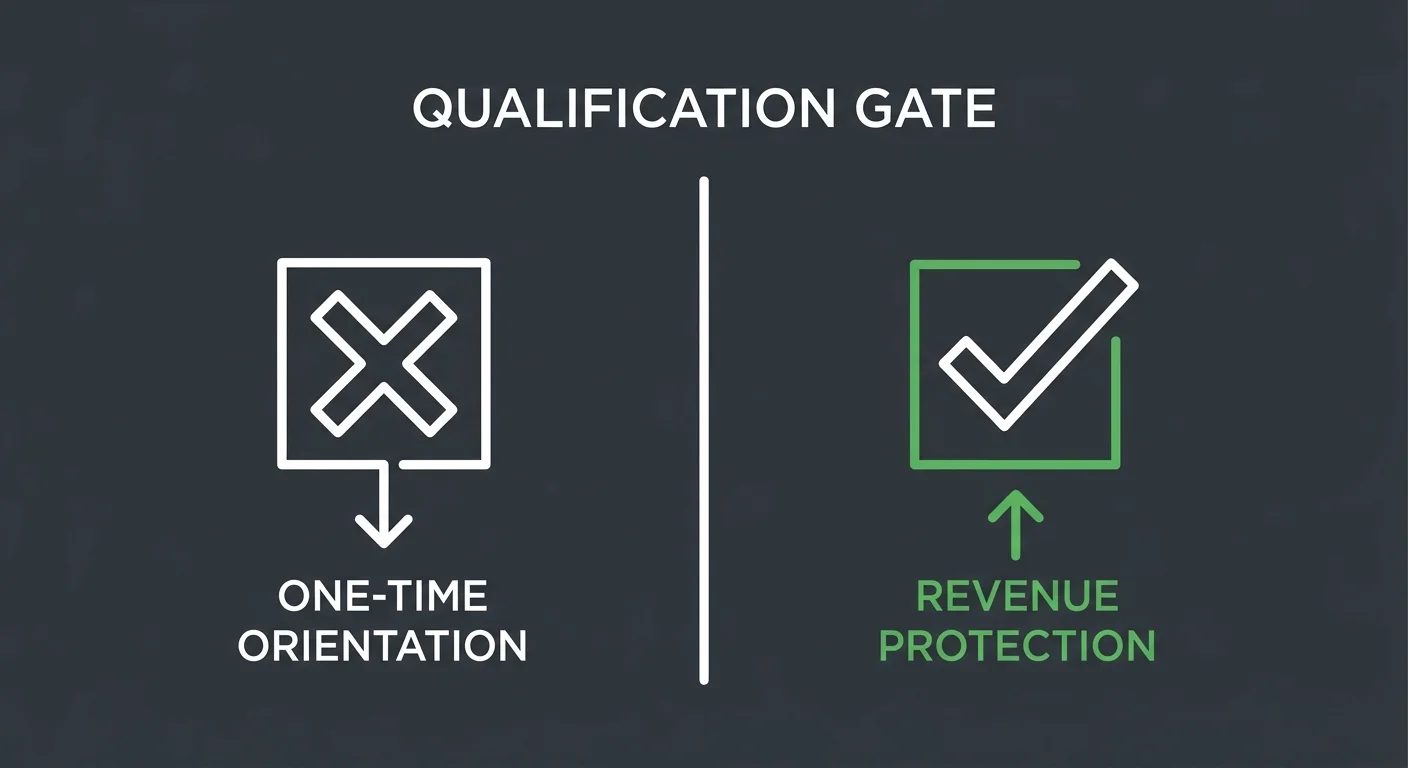
This framework isn’t designed for practices looking to get through the migration quickly and move on. It’s designed for practices that want to know their billing is actually working — not just running.
Some practices complete ChiroTouch onboarding, see the dashboard showing normal activity, and conclude that everything is fine. They’re reading the EHR. They’re not reading the clearinghouse portal, the unlinked payment queue, or the submission logs. The system looks fine. The revenue isn’t.
This framework is not for practices that are:
- Looking for a checklist that satisfies onboarding requirements without changing daily workflow
- Treating software training as a one-time event rather than an ongoing operational standard
- Unwilling to establish daily or weekly verification habits during the migration window
- Expecting the system to flag its own errors without human oversight
ChiroTouch Cloud is a capable platform. It is not a billing department. It submits claims. Trained staff — with the right reconciliation habits — actually recovers revenue.
If you’re managing this with an internal team and something feels off, understanding the most common data transfer errors in chiropractic EHR migrations is a useful diagnostic starting point. If interruptions are already visible, the causes behind ChiroTouch Cloud migration billing interruptions breaks down what’s typically driving them.
If the question underneath all of this is whether your billing is actually working right now — that’s the more important question. And it’s worth asking directly.
Frequently Asked Questions
Why do our claims stay in “Pending Submission” after I’ve followed all the training steps?
This usually points to an authentication failure at the system level, not a staff error. In ChiroTouch Cloud, batch transmissions require an OAuth 2.0 security handshake with the clearinghouse. If that handshake hasn’t been properly authorized at the admin layer — or if an MFA prompt timed out — the system holds claims in “Pending Submission” status without generating an obvious error.
The fix isn’t re-running the training. It’s your admin reviewing the clearinghouse connection settings in ChiroTouch Cloud and confirming the OAuth authorization is active and not expired. If you’re working with billing software compatibility issues that go beyond staff behavior, that’s worth a separate review.
Where do we find money the doctor says is “missing” after the migration?
Start with the “Unlinked Claim Responses” queue inside the Claims Worklist. During migration, charge identifiers change — and payments from the clearinghouse often arrive with old identifier references the new system can’t match. Those payments don’t post automatically. They don’t generate alerts. They sit in the unlinked queue until someone works them manually.
This is one of the most common sources of apparent revenue loss after a ChiroTouch server-to-cloud migration. The money isn’t gone — it’s waiting to be matched to the correct charge record.
Does ChiroTouch Cloud handle the AT modifier for Medicare automatically?
Not reliably — especially after migration. The AT modifier requires a documentation-to-code link that depends on correctly rebuilt provider macros in the Cloud environment. Macros from the server version don’t transfer automatically. If they were rebuilt without verification, the modifier may not be applying correctly at the charge level.
Staff need to be trained to confirm the AT modifier is present in the charge record before the claim is submitted — not assumed from the macro. A weekly spot-check of 10 Medicare claims is the minimum verification standard during the first 90 days. For the full picture on what else changes in the Cloud environment, see how to recover lost claims data after a ChiroTouch server-to-cloud switch.
How often should our team check the clearinghouse portal directly?
In the first 60 days after migration: daily. Every morning before batching new claims, staff should log into the clearinghouse portal independently and verify that yesterday’s batch was received. After the 60-day window, this moves to weekly — but it never goes away entirely.
The EHR dashboard and the clearinghouse portal are two separate systems showing two different datasets. If your team is only looking at one of them, they’re working with incomplete information. The billing software compatibility page covers how clearinghouse connections are configured and what to verify.
Can we still use our old provider macros from the server version?
No. Macros from ChiroTouch server do not transfer to the Cloud environment. The logic behind them — including modifier rules, care package structures, and code links — must be manually rebuilt and tested in Cloud before the first claims go out.
If macros were rebuilt without verification, or if staff assumed the migration transferred macro logic automatically, there’s a high probability that coding errors are present in current claims. An audit of rebuilt macros is strongly recommended for any practice more than 30 days into the migration. The common data transfer errors in chiropractic EHR migrations covers exactly what tends to go wrong in this process.
What’s the difference between a clearinghouse rejection and a payer denial?
A clearinghouse rejection happens before the claim reaches the payer. The clearinghouse checks the claim for format compliance, valid identifiers, and basic data integrity. If it fails, the claim is returned before the payer ever sees it.
A payer denial happens after the claim reaches the payer. The claim passed clearinghouse editing but was rejected at the payer level — for reasons like medical necessity, missing documentation, or benefit exhaustion.
Both require different responses. Clearinghouse rejections are typically fixable at the data entry level. Payer denials often require documentation review, appeal, or clinical escalation. Training staff to identify which type of error they’re working with determines how they respond — and how fast. Understanding both is part of reestablishing a billing workflow after an EHR platform switch.
Conclusion
ChiroTouch Cloud isn’t just a different interface. It’s a different infrastructure — with authentication layers, clearinghouse communication protocols, and ERA matching behaviors that don’t exist in the server version. Training that doesn’t account for those differences produces teams that are competent at the software and blind to the revenue risk.
Submission is not billing. Getting paid is billing.
The practices that protect their revenue through a ChiroTouch migration aren’t the ones that moved fastest through onboarding. They’re the ones that built verification habits — and then kept them. Daily in the first 60 days. Weekly after that. Not because the software is broken. Because no software can audit its own output.
If your team can reconcile a clearinghouse discrepancy, work the unlinked queue, and verify AT modifier compliance on a Medicare visit — they’re not just trained on the software. They’re trained to protect the revenue it’s supposed to collect.
If you’re not sure whether your current setup is doing that — whether you’re managing an internal team, working with an outside biller, or navigating this migration without dedicated billing oversight — the question isn’t whether the software is configured right. It’s whether the people running it know what to look for when it isn’t.
Knowing your software is set up is one thing. Knowing your billing is actually working is different.
A practice assessment reviews your full billing operation — the clearinghouse connection, the ERA reconciliation habits, the denial patterns, and what’s sitting unworked in your AR — and shows you what’s being recovered and what isn’t.
Book a Call to see how your current billing actually stacks up.
Software compatibility is the floor. Revenue recovery is the ceiling.

© 2026 Bushido Billing. All Rights Reserved | Web Design by iTech Valet