

How Do I Recover Lost Claims Data After a ChiroTouch Server-to-Cloud Switch?
To recover lost claims data after a ChiroTouch server-to-cloud switch, check three places in sequence: the Unlinked Claim Responses queue in CT Cloud, the Data Export folder generated during your migration, and your legacy server-based ChiroTouch installation. Nearly all missing data surfaces in one of those three locations – and working them in order prevents duplicate reconciliation effort.
Start with the Unlinked Claim Responses section of the CT Cloud Claims Worklist. ERAs from your legacy server often arrive in the cloud but fail to auto-associate with the right patient charges. The payment is there. It just isn’t attached to a charge yet. Manual linking clears most of these in minutes per claim.
If a transaction or balance is still missing, open the Data Export folder ChiroTouch generated during your migration. Every subscription user receives one. It holds PDF and CSV backups of patient ledgers, payment histories, and claim records – your permanent paper trail for anything the cloud didn’t inherit cleanly.
If you still can’t reconcile what’s missing, your legacy server-based ChiroTouch installation remains fully intact on your local machine. You can log into the old system at any time, provided the database service is running, and pull reports, verify balances, or rebuild ledger entries manually against what’s in the cloud. The legacy system isn’t a backup – it’s a live archive that runs in parallel with the cloud indefinitely.
Three checks, in order: Unlinked Claim Responses first. Data Export folder second. Legacy server third. The rest of this article walks through each step in detail, covers what does and doesn’t move during a cloud switch, explains the billing logic that quietly breaks in the background, and shows you how to tell when a DIY reconciliation is enough versus when the gap needs outside help.
The Migration Gap – What Actually Happens When Your Data Moves
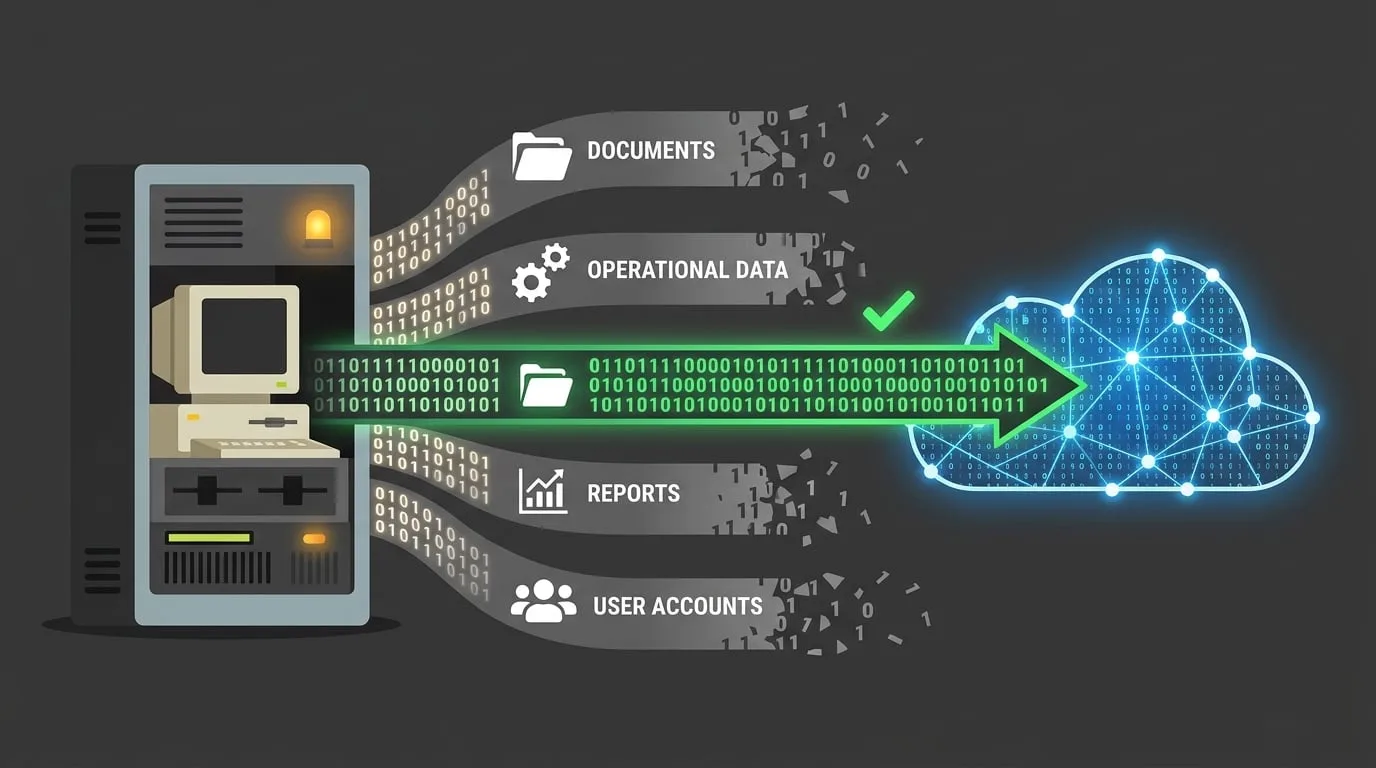
A cloud migration is not a finish line. It’s a handoff.
The switch closes one environment and opens another. What happens in the gap between those two moments is where most of the missing revenue lives – and it’s why full-service chiropractic billing treats the transition window as an active reconciliation project, not a completed event.
Here’s the part that catches practices off guard. The data isn’t usually what breaks. The data is mostly there. What breaks is the connective tissue: the link between an ERA and a charge, between a legacy ledger and a cloud balance, between a payment and the patient it belongs to.
Those connections have to be rebuilt. The rebuild doesn’t happen automatically.
What Moves vs. What Stays Behind
Migration is a selective transfer. Some elements move cleanly. Others stay behind on the legacy server. A few get split across both.
Knowing which bucket each piece of your data falls into is the entire foundation of the recovery.
| Data Element | Migrates to Cloud | Stays on Legacy Server | Notes |
|---|---|---|---|
| Patient demographics | Yes | Reference copy remains | Cloud is the source of truth going forward |
| Active open claims | Yes (usually) | Reference copy remains | Check Unlinked Claim Responses first |
| Historical closed claims | Partial | Yes | Full record lives in Data Export and legacy server |
| Patient ledgers / transaction history | Partial | Yes | PDF/CSV backup in Data Export folder |
| Active care packages | No | Yes | Must be rebuilt in CT Cloud |
| Macro links and custom billing logic | No | Yes | Must be rebuilt in CT Cloud |
| ERAs posted during cutover window | Yes – often unlinked | Yes | Primary source of “missing money” appearance |
The first column is what the cloud receives. The second column is your insurance policy. The third column is where most of the confusion lives.
Why the Industry Markets Migration as Complete When It Isn’t
This is the first piece of friction worth naming.
The cloud migration is sold as a single event. One go-live date. One “welcome to the new system” email. That framing is wrong.
Migration is a window, not a moment. It opens on go-live day and closes roughly six months later – once every active claim from the legacy environment has been paid, appealed, or written off. During that window, reconciliation is an active process and data flows in both directions.
The assumption that the cloud will handle it is the same assumption that produces most chiropractic billing failures. That automation resolves what, in reality, requires human judgment. It doesn’t. ChiroTouch’s own Migration Technical Specs document this explicitly through the Data Export folder and the Unlinked Claim Responses module. Both exist because the migration doesn’t cleanly finish on day one.
If your cloud go-live was treated as the end of the process by your biller, you already have a reconciliation gap. It’s just not visible yet. And it’s the exact pattern behind most billing interruptions during a ChiroTouch cloud transition.
Step One – Check the Unlinked Claim Responses First
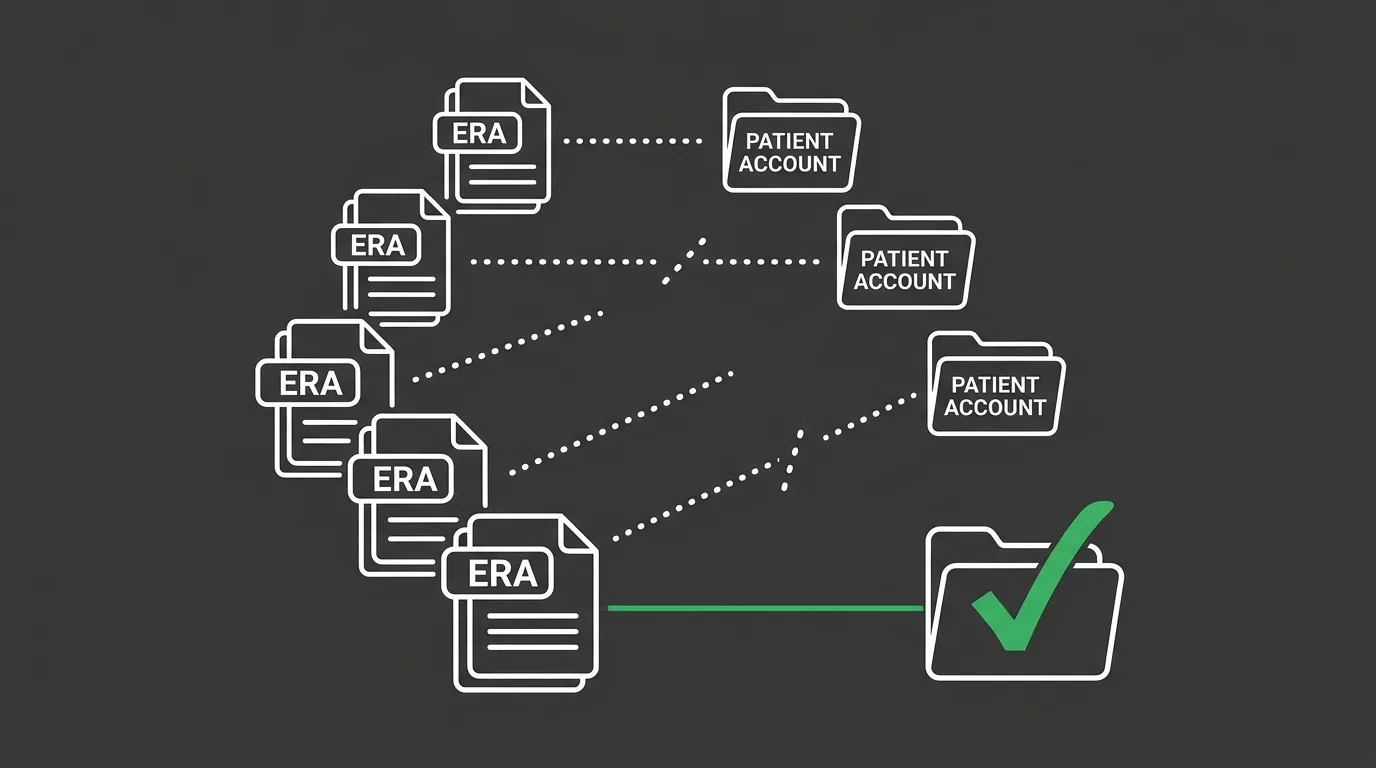
Before you assume anything is missing, assume the data is present but unattached.
That’s the most common failure mode after a ChiroTouch cloud transition. It has a specific location, a specific fix, and a short window in which it’s easy to resolve.
When ERAs arrive from payers during or shortly after the migration, CT Cloud tries to auto-associate them with the corresponding patient charges. When the charge record and the ERA don’t match cleanly – usually because the claim was originally filed on the legacy server – the response lands in an unlinked queue instead of posting to the patient ledger.
The payment exists. It’s just orphaned.
Where to Find Unlinked Claim Responses in CT Cloud
Navigate to the Claims Worklist in CT Cloud. The Unlinked Claim Responses section is a dedicated view within that module, covered in the CT Knowledge Base article “Managing Unlinked Claim Responses”.
What you’re looking for:
- ERAs without a linked charge – the payer paid, but the cloud doesn’t know which charge to credit. The money is sitting in a holding state, not applied to a balance.
- ERAs linked to the wrong patient – less common, more serious. A payment posted to the wrong account because the cloud matched on an overlapping identifier. These need manual reversal before relinking.
- ERAs with partial matches – common on high-volume practices. The payer references a claim ID the cloud doesn’t recognize. Cross-check against the legacy server or Data Export to confirm the charge before posting.
Work the queue in order of aging. The oldest unlinked responses are the ones at the highest risk of getting written off during a year-end close – because by that point, nobody remembers what they belong to.
Manually Linking ERAs to Cloud Patient Accounts
Once you’ve found the unlinked ERA, the relinking process is simple but tedious. Match the ERA to a patient using the claim number, date of service, or payer reference ID. Apply the payment to the correct charge. Verify the patient balance updates correctly.
Two things to watch for during the relink:
- Duplicate posting risk – if a claim was partially paid on the legacy server and the ERA arrived again in the cloud, you can accidentally post the payment twice. Always verify the legacy ledger before applying.
- Patient balance discrepancies – after linking, the cloud-side balance may not match what the patient thinks they owe. If a statement went out during the interim, a correction is often required.
This is where a lot of the common EHR data transfer errors in chiropractic migrations quietly compound. What looks like a missing claim is often a misposted ERA with a downstream patient balance error sitting on top of it. The data’s there. The sequence of fixes is what’s missing.
Step Two – The Data Export Folder Is Your Historical Safety Net
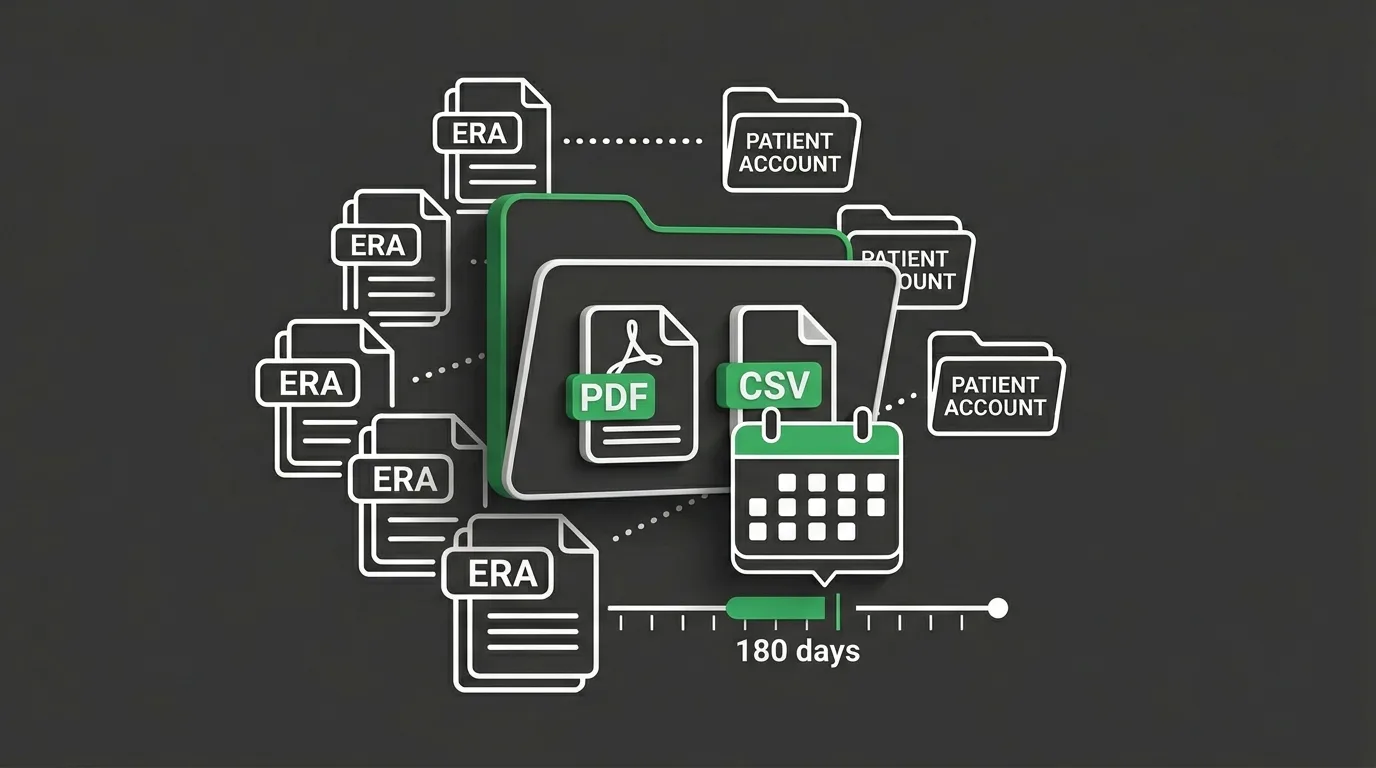
If the Unlinked Claim Responses queue doesn’t close the gap, move to the Data Export folder.
This is where ChiroTouch preserves the historical record that doesn’t make the cloud cut. Every subscription user who migrates receives one, documented in the ChiroTouch Community Guide resource “After Migration: The Data Export”. It’s generated during the transition and delivered as a permanent archive.
Think of it as the pre-cloud version of your practice, frozen in place.
What’s Inside the Data Export Folder
The Data Export is not a restore point. It’s a reference archive. You can’t import it back into the cloud. But you can use it to reconstruct any historical transaction the cloud doesn’t display.
Typical contents:
- Patient ledger PDFs (one per active patient) – line-by-line transaction history from the legacy server, frozen at go-live. These are the records you’ll use for disputes, audits, or patient balance questions.
- Claims export CSV – every claim on record at migration, with claim status, payer, date of service, billed amount, and paid amount. Searchable for claims the cloud doesn’t display.
- Payment history CSV – every payment applied during the legacy period, with posting dates and payer attribution. The companion file to the claims export.
- Appointment and scheduling exports – varies by migration package. Preserves the full historical appointment record outside the cloud.
Cross-referencing the Data Export against the cloud ledger is the cleanest way to verify what the cloud did and didn’t inherit. If a cloud balance shows $0.00 while the Data Export shows an outstanding amount, you have a migration gap that needs manual reconciliation – not a paid-in-full patient.
The 6-Month Verification Rule
This is the part most practices miss.
The Data Export folder has to be verified within roughly 180 days of the cloud go-live date. Not opened. Not glanced at. Actually verified.
The process isn’t complicated. Open the folder. Spot-check a representative sample of patient ledgers against the cloud. Confirm the CSVs open cleanly and contain the expected record counts. Store a second copy in a HIPAA-compliant location that isn’t the original migration delivery medium.
Practices that skip this step discover, months or years later, that the export was corrupted, incomplete, or stored on a device no longer accessible. At that point, ledger recovery becomes a forensic project instead of a file retrieval. The interoperability rules published by HealthIT.gov give you the right to access your historical data during an EHR transition. That right only matters if the data is still physically accessible when you need it.
Verify early. Verify twice. Store a backup of the backup.
Step Three – Your Legacy Server Is Still Running (and Still Matters)
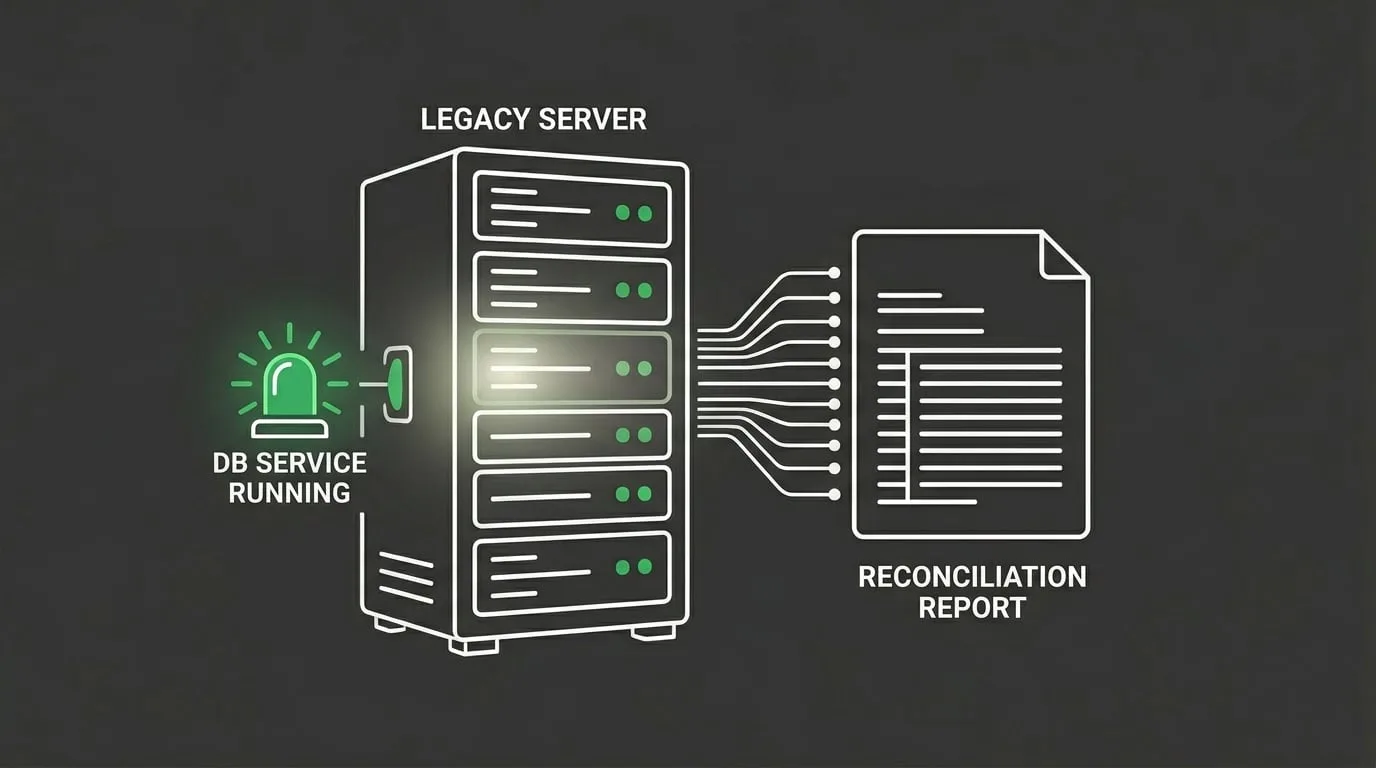
Here’s the detail most practices don’t realize: your legacy ChiroTouch installation isn’t deactivated at go-live. It’s preserved.
The local machine still has the full SQL database. The old client application still opens. Reports still run. Historical ledgers can still be queried directly against the source. The cloud doesn’t replace the legacy system – it runs in parallel with it, indefinitely, for as long as you keep the server accessible.
This changes the recovery equation. The legacy server isn’t a backup. It’s a live archive.
Accessing the Legacy SQL Database
To use the legacy server for recovery, the database service has to be running. That’s the only operational requirement.
If the service was stopped during migration or after the cutover, it can be restarted on the local machine without touching the cloud installation. Once the service is active:
- Log in to the legacy ChiroTouch client – same credentials as pre-migration. The system boots as if nothing changed.
- Run the reports you used before – patient balance reports, claim status reports, transaction history, payment journals. All of it still works against the frozen database.
- Query specific patient ledgers – for any patient whose cloud-side record looks incomplete, pull the full legacy ledger and reconcile line by line.
One hard rule: don’t use the legacy server as a production system anymore. No new payments. No new claims. No patient updates. Its role is read-only source-of-truth work, not active billing.
Using the Old Server for Reconciliation and Audits
The highest-value use of the legacy server is during the first six months after go-live. When the cloud shows a discrepancy, the legacy server shows you what was true on migration day.
Three scenarios where this matters directly:
- Patient balance disputes – a patient calls about a balance that changed after your system switch. The legacy server holds the pre-migration ledger that reflects what was actually billed.
- Payer audits or retraction requests – a payer requests documentation on a pre-migration claim. The legacy server holds the original claim history with submission and response dates intact.
- Year-end reconciliation – when you close the books on the year the migration happened, the legacy server is the reference point for everything that occurred before go-live.
This is also where ChiroTouch Cloud Specialists earn the label. Working both systems in parallel, cross-referencing ledgers, and resolving discrepancies without creating new ones is the practical skill set a migration requires. Most general billing firms haven’t built that skill set because they don’t specialize in chiropractic – and the specialty software isn’t something you pick up midway through a crisis.
What Doesn’t Migrate – The Hidden Logic Gaps
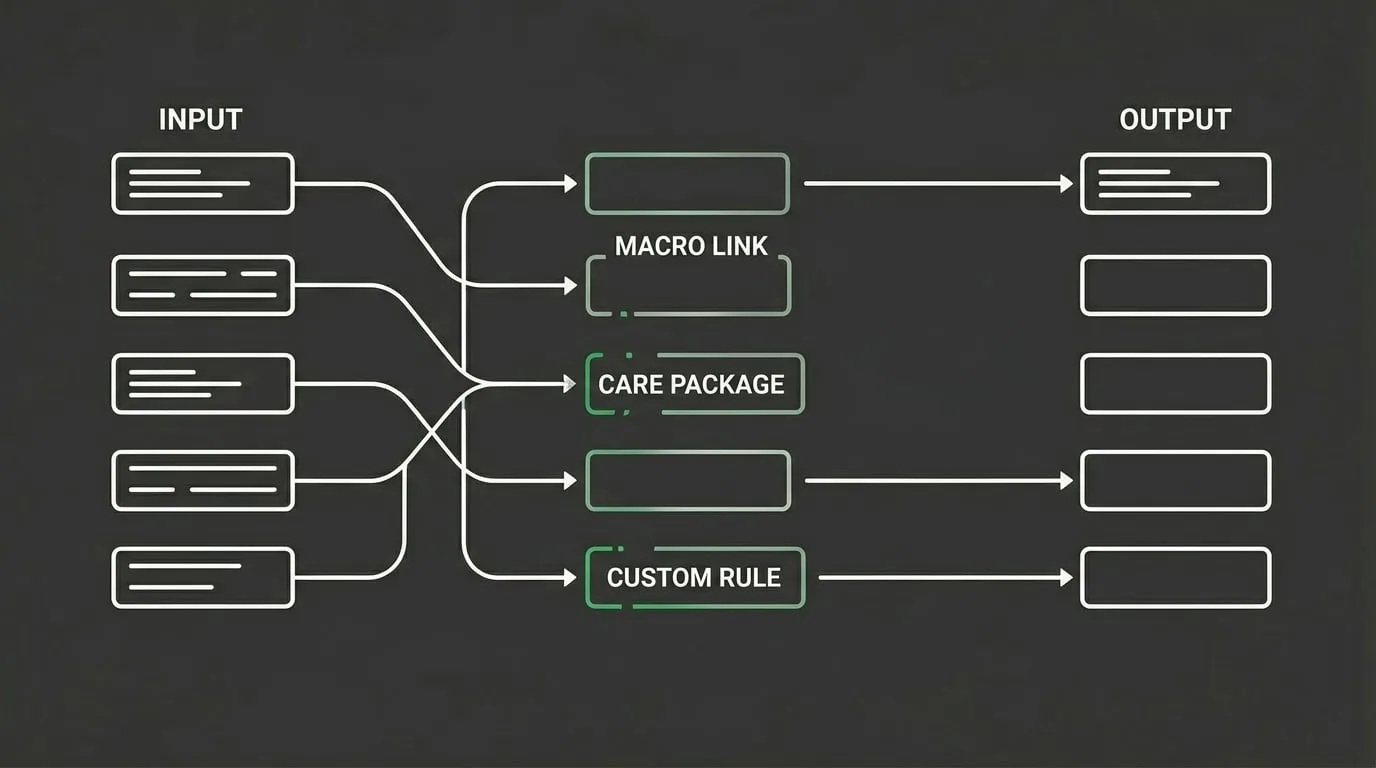
Beyond the raw data, there’s a second category of loss most practices don’t see coming.
The billing logic that lived on the legacy server doesn’t always move with the data. Active care packages. Macro links. Custom billing rules. Autopost configurations. These are the operational shortcuts that made your legacy system fast – and the cloud often receives them as blank fields, not configured behaviors.
The data looks right. The workflow is broken. That’s a harder problem to spot than a missing claim.
Active Care Packages and Macro Links
Active care packages – the structured treatment plans that automatically apply billing codes to qualifying visits – don’t migrate cleanly in most ChiroTouch cloud transitions. The patients remain. Their transaction history remains. The rules driving their charge generation vanish.
New visits start producing inconsistent charges. Nobody notices immediately because the claims still submit. They just submit with gaps.
Macro links follow the same pattern. The saved code combinations providers used to chart and bill in a single action have to be rebuilt in the cloud. Any provider still using legacy macros on post-migration visits may be producing undercoded or miscoded claims without realizing it.
The first warning sign is usually a spike in denials for specific CPT codes that were previously clean. The second is a drop in per-visit revenue that doesn’t match your visit volume trend. Both point to broken billing logic. Neither points to missing data.
Historical Billing Logic Must Be Rebuilt
Rebuilding billing logic isn’t a data recovery task. It’s a system configuration task.
Old patterns get documented. Reviewed against current Medicare and payer policies. Implemented fresh in the cloud environment. It’s slower than most practices expect, and it has to happen while claims are actively being produced.
Practices that treat this as an afterthought pay for it for months. The cloud submits claims. The claims look fine on the way out. Then the denials start – and the root cause (a missing modifier rule, an outdated macro, a broken autopost) takes weeks to isolate because nobody’s thinking about legacy logic anymore.
By the time the pattern becomes visible, the aging is already working against you. And identifying revenue leakage that stems from broken post-migration logic is a different diagnostic process than standard AR review – it requires someone looking at the cloud configuration side-by-side with the legacy setup, not just at the numbers.
When DIY Recovery Isn’t Enough – Who This Process Isn’t For
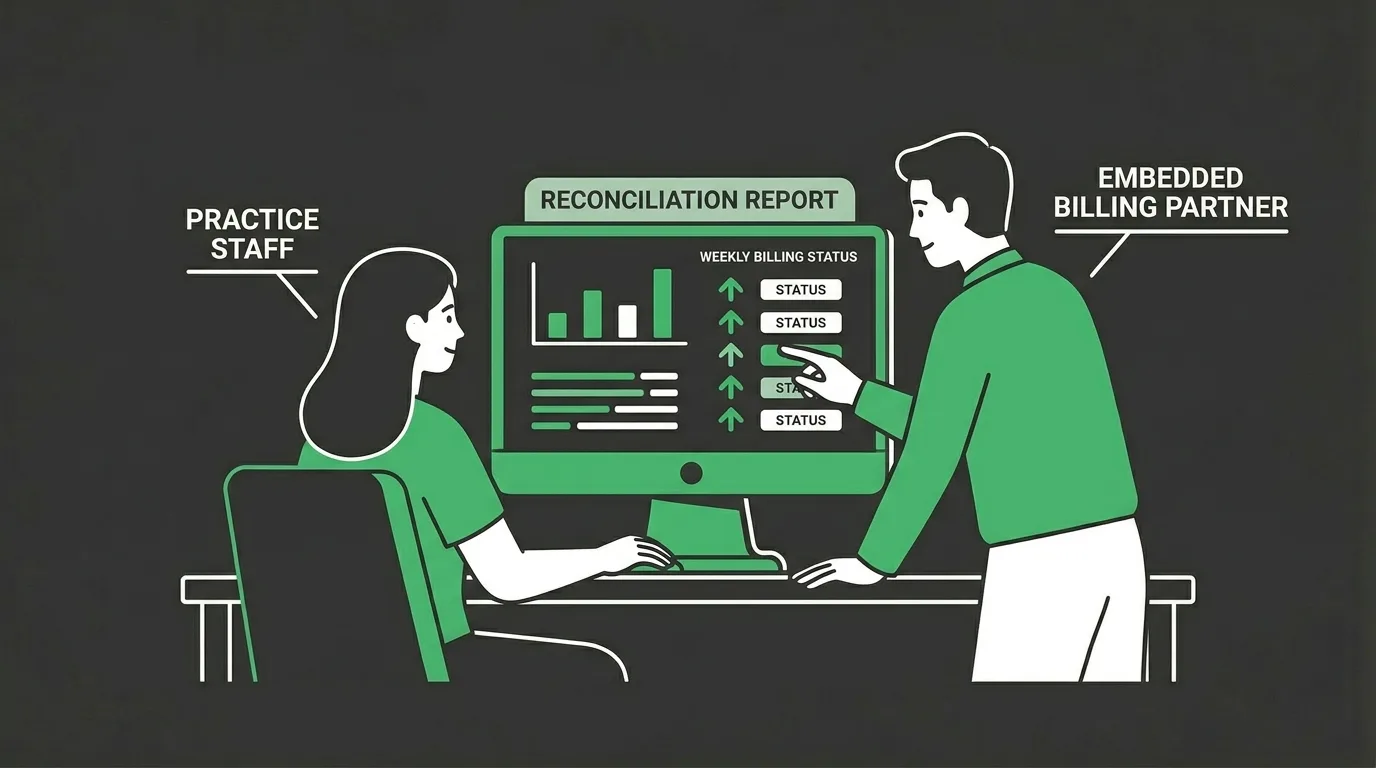
Most of what’s been covered here is doable in-house – if the practice has the bandwidth, the discipline, and the willingness to engage with the reconciliation work directly.
There are also patterns that signal the gap is bigger than a front-desk team can reasonably close. Naming them matters more than softening them.
Who This DIY Process Isn’t For
If your first reaction to a migration recovery conversation is “what will it cost” – this isn’t the right approach for your practice.
Migration recovery isn’t priced like a commodity. The time required to reconcile a legacy database against a cloud instance depends on how much was billed pre-migration, how cleanly the export was generated, and how accurate the cloud is about what it actually received. Rate isn’t the decision variable. Process and specialty expertise are.
If rate is the filter, the conversation won’t produce a useful answer.
Same pattern applies if the expectation is that billing should be fully hands-off during a migration. No EHR access. No documentation turnaround. No provider availability for claim questions. That’s not a service that gets delivered around the practice. It gets delivered with the practice. Reconciliation requires cooperation between whoever holds the data and whoever’s reconciling it.
And if the cloud switch is being treated as a one-time rescue project – fix the gap, then back to the status quo – the underlying issue that created the gap doesn’t get fixed. The cycle repeats on the next software change, the next payer update, or the next stretch of AR that nobody’s watching.
What an Embedded Billing Partner Does Differently
The alternative to self-driven recovery is an embedded billing partner that treats the migration window as part of an ongoing revenue cycle engagement. Not a line item on a services menu.
An embedded partner runs reconciliation across all three systems (cloud, legacy server, Data Export) in parallel. Rebuilds broken billing logic while the cloud keeps producing claims. Works the Unlinked Claim Responses queue down to zero. Reports the recovery back in a weekly cadence, not as a one-time deliverable that disappears after close.
The distinction worth internalizing: migration recovery isn’t really a billing project. It’s a symptom of how a practice’s revenue cycle operates year-round. Practices with a functioning cycle catch migration gaps in the first two weeks. Practices without one catch them six months later – if they catch them at all.
Submission speed is not recovery. Claim volume is not recovery. Securing predictable clinic cash flow through a transition window is a different operating model, and it shows up most clearly when the software underneath changes.
The Recovery Logic Path – A Three-Check Sequence
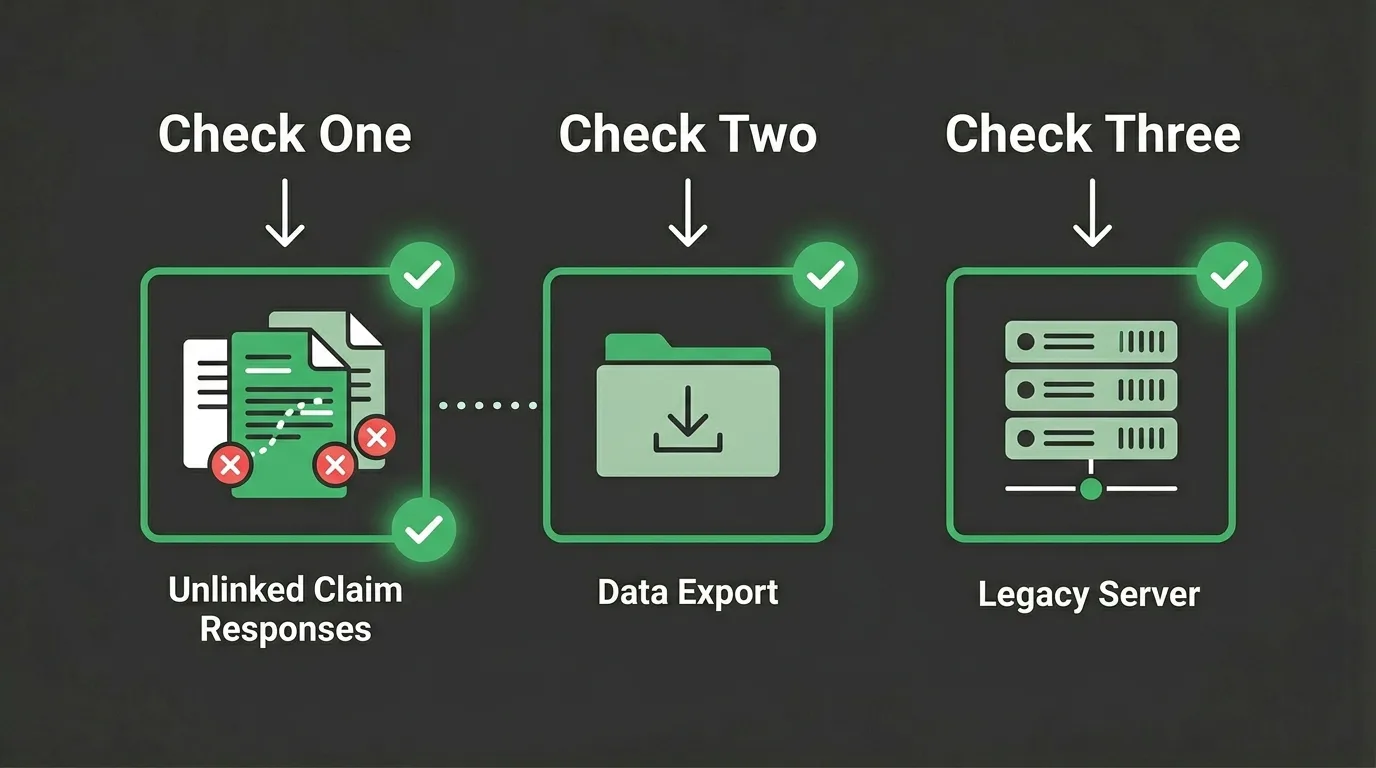
The recovery process, reduced to its simplest form, is a sequence of three checks.
Running them in order prevents duplicate work and surfaces the gap at the earliest possible node. This is the same diagnostic sequence an embedded partner would run. It’s also the reason most recovery work is either very fast or very slow, with little in between.
The Three-Check Recovery Sequence
| Check | Where to Look | What You’re Confirming | Time Investment |
|---|---|---|---|
| 1. Unlinked Claim Responses | CT Cloud → Claims Worklist | Payment arrived but didn’t attach to charge | Low – minutes per claim |
| 2. Data Export Folder | Local migration archive | Historical transaction exists in backup | Moderate – hours per reconciliation |
| 3. Legacy Server | Local ChiroTouch installation | Transaction exists in source database | Higher – requires database query skills |
Every missing transaction should be traced through this sequence before it gets written off. Writing off a claim that’s actually sitting unlinked in the cloud is one of the most common post-migration revenue losses – and it’s entirely avoidable with a fifteen-minute check.
When to Escalate to Specialist Support
Some gaps won’t resolve through the three-check sequence. When that happens, the pattern is almost always one of three:
- The Data Export folder is corrupted or incomplete – contact ChiroTouch support immediately. Under the HHS interoperability mandates, you have a right to a complete data export during an EHR transition. A corrupted or incomplete export is a vendor service issue, not a practice problem.
- The legacy server is no longer accessible – the database service was removed, the machine was retired, or the backup medium failed. Recovery shifts to whatever external backups exist, which usually means reconstructing from payer-side records. Slower, but achievable.
- The missing revenue spans months and multiple payers – at this scale, DIY recovery stops being a reasonable use of in-house hours. The math flips. The cost of working it manually exceeds the cost of bringing in a specialist who runs migration reconciliations as a repeatable process.
The question isn’t whether the data can be recovered. Most of it can. The question is whether the recovery is worth the in-house hours against everything else competing for the same staff time – and whether reclaiming those hours is more valuable than keeping the reconciliation inside the front office.
Frequently Asked Questions
Why are my patient balances $0.00 after migrating to ChiroTouch Cloud?
Zero balances on patients who clearly have outstanding amounts are the classic symptom of a partial ledger migration. The cloud received the patient record but didn’t inherit the transaction history that produced the balance.
Check the Data Export folder first. If the PDF ledger for that patient shows an outstanding balance, the amount is documented – it just didn’t transfer. From there, you have two options. Rebuild the balance manually in the cloud using the Data Export as the supporting documentation. Or treat the legacy server as the historical reference for that patient going forward while the cloud handles new activity.
The one thing you don’t want to do is trust the $0.00 at face value. If a patient cites it during a billing dispute, confirm against both the legacy server and the Data Export before adjusting anything in the cloud. A misapplied write-off is harder to unwind than a delayed correction.
Can I still run reports on my old ChiroTouch server after the switch?
Yes. The legacy server-based ChiroTouch installation remains fully functional after the cloud switch, as long as the database service on the local machine is still running. Every report that worked pre-migration still works.
This is one of the most underused tools in the ChiroTouch ecosystem. Practices assume the legacy system shuts off at go-live. It doesn’t. It sits preserved on the local machine, and it functions as a read-only source of truth for anything the cloud doesn’t store natively.
The only caveat worth repeating: stop using it for new transactions. Posting new payments or filing new claims against the legacy server creates reconciliation problems that compound every week. Use it for lookup and reference. Nothing more.
How do I link an old insurance check to a new Cloud-based charge?
Open the Unlinked Claim Responses queue in the CT Cloud Claims Worklist. Locate the ERA for the check in question. Match it to the correct patient using the claim number, payer reference ID, or date of service.
Before applying the payment, verify two things. First, confirm the charge is still open – if it was written off after the migration, reverse the write-off before posting. Second, check the legacy server to confirm the payment wasn’t already applied there. Duplicate postings are one of the most common reconciliation errors during a cloud transition, and they’re harder to unwind than they look.
Once verified, apply the payment to the correct charge, update the patient balance, issue a corrected statement if needed, and document the reconciliation date for year-end close. The documentation matters later – not just for the patient, but for audit defense.
What happens if my Data Export folder is corrupted or missing?
This is the scenario nobody wants to be in, but it happens. A corrupted or missing Data Export folder is a service issue that falls back on ChiroTouch to resolve – because the export is part of the migration deliverable they’re contractually obligated to produce.
Contact ChiroTouch support with specifics. Which files are corrupted. Which date ranges are affected. What information you need to reconstruct. Most migrations retain a backup copy of the export on the vendor side for a defined period after go-live.
If the corruption is found outside that retention window, the recovery path shifts. Start with the legacy server, if it’s still accessible. If that’s gone too, pull claims histories directly from every payer you billed. Every payer can produce a history on request. Reconstructing a ledger from payer records is slower than a direct export – but it’s not impossible.
Is a missing claim after migration a HIPAA compliance issue?
Not inherently. A claim that didn’t migrate cleanly is a reconciliation issue, not a HIPAA violation. The data still exists – it’s just split across systems.
HIPAA’s concern is with how patient data is stored, accessed, and transmitted. Not with whether a claim displays correctly in the new EHR. That said, practices are required to retain billing and clinical records for defined periods under state and federal law. If a migration results in the permanent loss of required records, retention compliance becomes the real issue.
This is why the Data Export folder and the legacy server preservation matter structurally. They’re not just recovery tools. They’re the documentation trail that demonstrates continuity of records across the EHR transition – which is what a records retention review actually checks. Verify the export is complete. Store it somewhere HIPAA-compliant. Keep the legacy server accessible through your retention window.
Should I just leave the unlinked ERAs alone and focus on new claims?
No. The unlinked ERAs represent money the payer has already paid. Leaving them in the queue doesn’t make the money disappear. It makes it untraceable when year-end reconciliation comes around and someone has to account for it.
Practices that deprioritize the Unlinked Claim Responses queue during the post-migration window often end up writing off recoverable revenue at close. Not because the money wasn’t there – because nobody could figure out which charges the ERAs belonged to six months later. The cost of resolving an unlinked ERA two months in is minimal. The cost at year-end is usually not worth the effort, which is how the revenue gets written off.
Work the queue. It’s the highest-return cleanup task in any migration recovery window, and it has the shortest time horizon for resolution.
How long after a ChiroTouch cloud migration should reconciliation take?
Reconciliation should be substantially complete within 90 to 180 days of go-live. The exact timeline depends on practice volume, the cleanliness of the legacy data, and whether billing logic has to be rebuilt from scratch.
If the process is still producing new discrepancies 180 days in, something is structurally off. Either the migration wasn’t clean to start with, or the practice’s billing operation doesn’t have the bandwidth to close the gap. Both scenarios call for a direct conversation about the billing model – not another month of trying to catch up in-house.
The 180-day window isn’t a hard deadline. It’s a diagnostic threshold. Past that point, what looks like migration cleanup is usually a revenue cycle issue that’s been misdiagnosed as a one-time transition problem.
The Recovery Path Forward
The ChiroTouch cloud migration is solvable. The data isn’t gone. The claims aren’t lost. The ledgers aren’t missing.
They’re distributed across three systems that have to be reconciled in sequence. The practices that run that sequence inside the first 180 days recover nearly everything. The practices that don’t – the ones that assume the cloud handled it, skip the Unlinked Claim Responses queue, never verify the Data Export, let the legacy server go idle – discover at year-end close that a meaningful percentage of pre-migration revenue was never claimed. That revenue doesn’t come back.
Submission is not billing. Getting paid is billing. A cloud switch without active reconciliation is a submission change dressed up as a billing upgrade. The difference between those two things is exactly where the money lives.
A cloud migration doesn’t end at go-live. It ends at reconciliation – whenever that actually happens.
If you’ve made the ChiroTouch switch and the numbers don’t line up, or if you’re staring at a Data Export folder and a legacy server and not sure how to use either, a practice assessment walks through your Cloud worklist, your Data Export, and your legacy ledgers side by side.
Book a Call to review your post-migration recovery status.
The assessment identifies what’s still recoverable, what’s at risk of aging out, and what’s broken in the billing logic the cloud inherited – and it pairs the review with a direct line into ChiroTouch-specific billing software setup that most general billing firms aren’t positioned to handle.
The longer a migration gap sits, the more it starts to look like normal reporting. Until someone actually checks.

© . All Rights Reserved | Web Design by iTech Valet