

What Are the Most Common Data Transfer Errors in Chiropractic EHR Migrations?
The most common data transfer errors in chiropractic EHR migrations aren't missing patient names — they're broken financial connections. Unlinked Electronic Remittance Advices (ERAs), reset Trading Partner IDs, and distorted Accounts Receivable (AR) aging buckets are where migrations actually fail.
Clinical records like SOAP notes typically survive the move. That part usually works. What fails is the billing identity — the invisible infrastructure that tells payers who you are, links payments to charges, and keeps your AR aging accurate. When that infrastructure breaks, it doesn't always announce itself with an error message. It fails quietly. Claims appear to send. The system looks functional. But the payments stop arriving.
The EHR Transition & Data Integrity Study published through PubMed (NIH) confirms that data loss and mapping errors are significant, under-acknowledged risks during EHR transitions — and their impact hits financial continuity hardest. The clinical side of migration is a solved problem. The billing side isn't.
The distinction matters. Your vendor's migration tool was built to move data. It was not built to verify that your billing operation still functions after the move. Those are two entirely different problems — and only one of them shows up on the vendor's checklist.
There are four specific failure points that drive post-migration revenue disruption. First, unlinked ERAs — payments that arrive at the clearinghouse with no charge record to attach to. Second, reset Trading Partner IDs — the silent rejection engine that makes claims disappear without a denial code. Third, distorted AR aging — where six months of outstanding debt looks like a fresh 30-day balance after the migration clock resets. Fourth, broken care package and macro logic — the coding automation your providers relied on that simply doesn't exist in the new system.
This article covers all four in detail: what breaks, why it breaks, how to find the revenue that's already frozen, and what a real reconciliation process looks like.
Last Updated: April 20, 2026
- What "Data Transfer" Actually Means — and What It Doesn't
- The Specific Errors That Break Your Revenue
- How to Find the Money That Went Missing
- Who This Process Is For — and Who It Isn't
- Frequently Asked Questions
- Why do my patient balances show $0.00 after the migration?
- What is a "silent rejection" in a data transfer?
- Will my SOAP notes and clinical records always migrate?
- How do I find money that didn't post after the switch?
- Can I use my old server to fix migration errors?
- How long does a post-migration billing recovery take?
- Does my EHR vendor fix these errors?
- What You Do Next
What "Data Transfer" Actually Means — and What It Doesn't
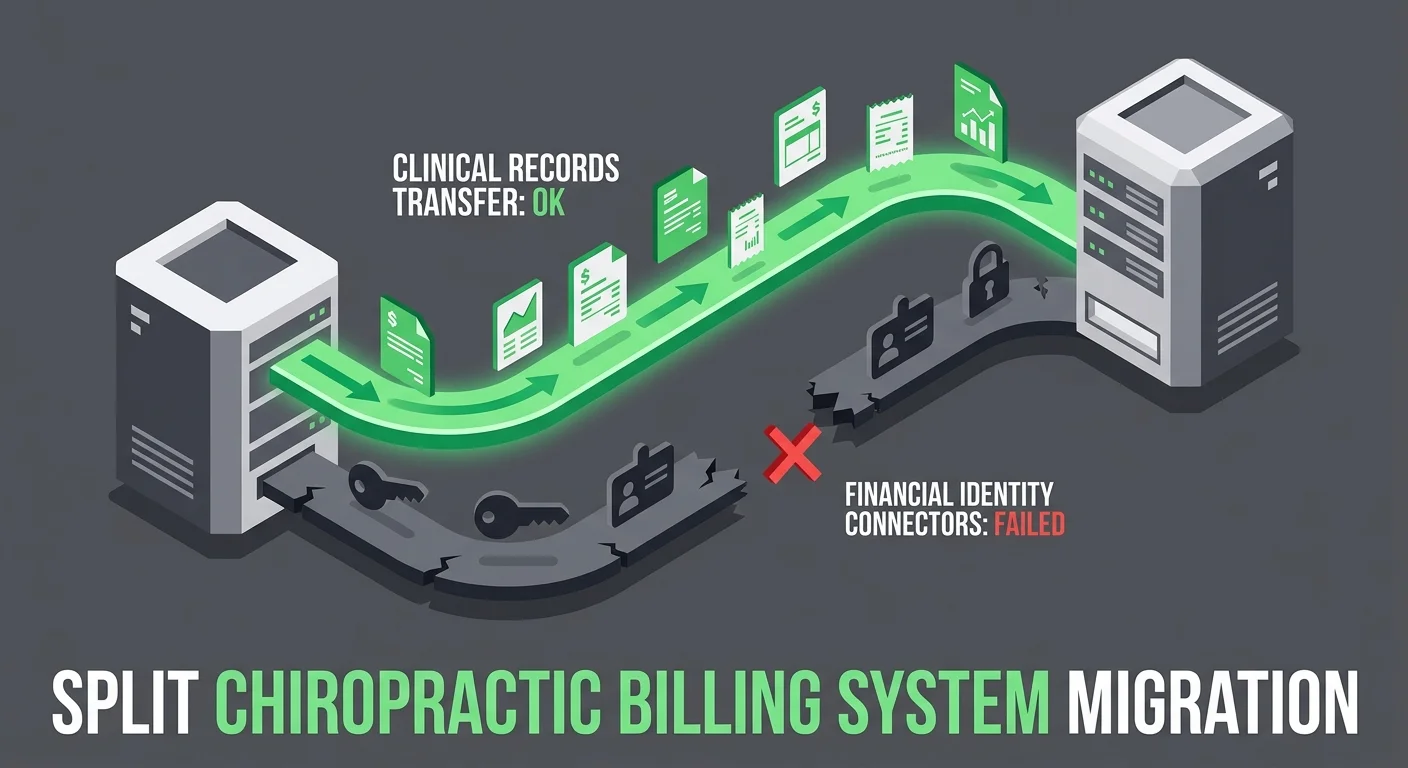
Your vendor sent the completion notice. The patient list is there. The SOAP notes transferred. The appointment history moved. By every measure on the migration checklist, the job is done.
None of that is the part that pays you.
Full-service chiropractic billing isn't a data storage function. It's a credentialed, protocol-dependent relationship between your practice and every payer you bill. When you switch EHR platforms, that relationship doesn't migrate with the click of a button. It has to be rebuilt — and most migration tools aren't designed to do that. They're designed to move records. Those are different jobs.
The Connective Tissue Nobody Mentions
Think about your billing operation as two parallel systems.
The first is the clinical record system: demographics, SOAP notes, treatment history, scheduling. This is structured, standardized content. Migration tools were built for it. It transfers reliably.
The second is the financial identity system. This is where migrations actually break.
- Trading Partner IDs — Your unique credentialed identifier with each clearinghouse. If this resets during migration, claims from the new system don't match your established payer identity. They fail — silently, with no denial code, and no alert.
- ERA linking logic — The pathway that connects incoming Electronic Remittance Advices to the charge records that generated them. Break this and payments arrive at the clearinghouse with nowhere to land in your ledger.
- AR aging history — The time-stamped transaction trail behind every balance. Import balances without that history and the aging buckets reset. 180-day-old debt looks like a 30-day balance. Your team prioritizes wrong.
- Care package and macro logic — Pre-built CPT code sequences, modifier rules, bundled visit billing. These exist as procedural logic inside the old system. There's no universal format to export them. They don't transfer.
The EHR Migration Risk Framework published by Deloitte identifies financial reconciliation as the most frequent failure point in EHR implementations — driven specifically by inadequate legacy data mapping. The clinical layer maps cleanly because there are standards for it. The financial layer doesn't have equivalent standards. That's the gap.
Why Vendors Claim Success When Billing Is Broken
The vendor's completion report is accurate on its own terms.
Their checklist asks: did the records move? And they did. Every patient demographic, every SOAP note, every appointment history. The migration tool executed exactly what it was designed to do.
What the vendor's checklist doesn't ask: do your claims still pay?
From where they're standing, the migration is complete. From where your AR lives, you're now operating a billing system where:
- Claims are being submitted under a clearinghouse identity that may not match your credentialed Trading Partner ID
- Payments are arriving at the clearinghouse but can't link to charge records in the new system
- Your aging report reflects imported balances with no transaction history behind them
The vendor didn't fail. They delivered what migration tools deliver. The problem is that data portability and financial continuity aren't the same product — and the industry treats them as if they are.
This is the assumption that breaks practices. The EHR is new. The system is live. The migration is "done." So billing should be fine.
It isn't. And the gap between what the vendor delivered and what your revenue cycle actually needs is where the cash flow problem lives.
The Specific Errors That Break Your Revenue
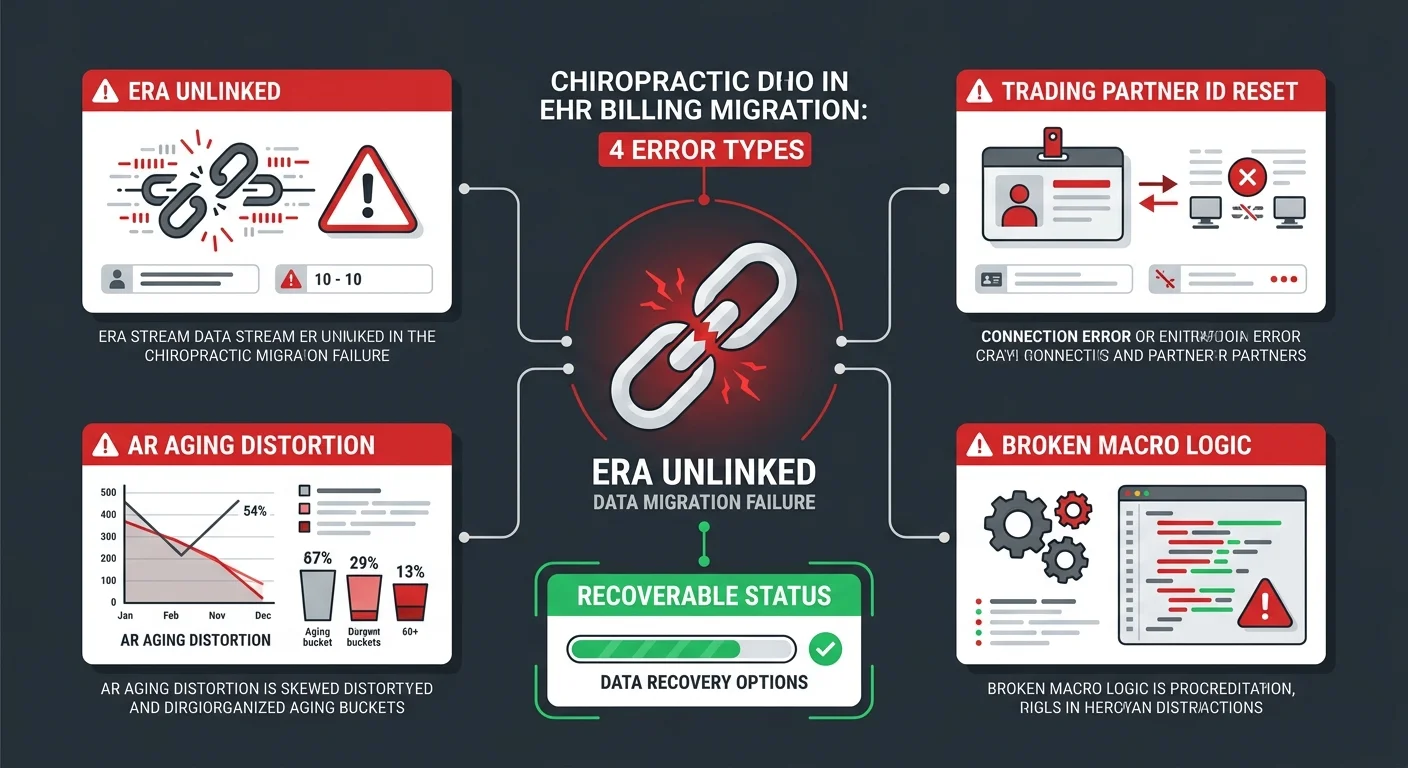
These aren't edge cases. Every chiropractic EHR migration produces some version of these failures — the only variable is severity. The errors follow the architecture of what migration tools were built to handle and what they weren't. Knowing what to look for is half the recovery.
Unlinked ERAs: Payments That Arrive but Don't Post
An Electronic Remittance Advice is the payment explanation document that travels with every insurance reimbursement. It tells your billing system exactly what was paid, what was adjusted, and what was denied — and attaches that information to the specific charge record it covers.
When ERA linking breaks, the payment still comes. It just can't find where to go.
In your new system, charge records carry new internal identifiers. The ERAs coming from your legacy clearinghouse still reference the old ones. The matching logic fails. The money is real. The payment is in transit. But your AR report doesn't reflect it, because the ERA is sitting unattached in a queue most practices don't know to check.
The Medical Billing Audit Standards guidance from AAPC is direct on this point: technical errors during system transitions mask revenue leakage that requires human-led forensic auditing to surface. Automated migration tools don't do this work. Billing specialists do.
Look for these specific indicators in the 30 days after migration:
- Unposted ERA volume — Daily remittance totals running higher than what's actually posting to patient accounts
- Unapplied credits — Accounts showing $0.00 with no corresponding ERA linked to the balance
- Duplicate claim submissions — The system resubmitting claims that already have ERAs in transit because the original ERA never posted and the balance still shows open
Reset Trading Partner IDs: The Silent Rejection Engine
Your Trading Partner ID is the credentialed identity your practice carries with the clearinghouse. Every claim you submit passes through that identity check. The clearinghouse confirms: does this practice have an authenticated, active relationship with the payer listed on this claim?
When a migration tool provisions your new system, it frequently creates a new clearinghouse registration or re-registers an existing account. The Trading Partner ID tied to your legacy system is no longer the active credential. The new system's identity hasn't been fully authenticated on the payer side.
The result: a claim exits your EHR looking perfectly clean. It appears submitted on your dashboard. At the clearinghouse level, it fails the identity check and gets kicked back — but the rejection notice doesn't always return in a readable format. No denial code. No task in your queue. No alert. The claim is simply gone from the payer's view.
This is the most dangerous failure mode because the payer's timely filing window is running from the original date of service. Not from when you discover the problem. Not from when you resubmit. From the original DOS. Claims lost to silent rejections that aren't caught within that window become permanently uncollectable.
The MGMA Financial Management research on post-migration reconciliation is explicit: reconciling patient ledgers and unapplied credits is the most critical step after an EHR transition. You can't reconcile accounts you don't know are broken. See also our ChiroTouch server-to-cloud data recovery guide for the specific clearinghouse authentication steps to run after any platform switch.
Distorted AR Aging: When Old Debt Looks New
Your AR aging report is a time-based map. It tells you how long each balance has been sitting — 0–30, 31–60, 61–90, 91–120, 120-plus — and your team uses it to prioritize collection work and flag payer patterns.
When a migration tool imports AR balances without their transaction history, it resets the timestamp. A claim outstanding for 180 days gets imported as a current balance. Your 120-plus bucket empties out. Your 0–30 bucket spikes. The report looks like a fresh, healthy AR.
It isn't.
The EHR Transition & Data Integrity Study from PubMed identifies this exact mapping error as one of the most under-acknowledged risks in EHR transitions — specifically because it doesn't present as a failure. It presents as a clean slate. Your team works the "newest" balances first. The real oldest claims age quietly past timely filing windows. The revenue evaporates before anyone realizes the priority was inverted.
| AR Aging Error Type | What It Looks Like | What It Actually Is |
|---|---|---|
| Clock reset | Spike in 0–30 bucket | 90–180 day debt imported without timestamp history |
| Missing transaction ledger | $0.00 patient balance | Open balance with no posted payment trail in new system |
| Duplicate balances | Balance in both systems | Same outstanding claim visible in legacy and new system simultaneously |
| Unapplied credit | Overpayment sitting open | ERA posted to ledger but never matched to a charge record |
Broken Care Package Logic and Macro Links
Care packages and billing macros are the automation layer of your clinical billing workflow.
Care packages bundle a series of visits into a predefined billing sequence — specific CPT codes, modifiers, and rules for each encounter in the plan. Macros automate code selection based on documentation type or treatment category. These tools do real work. They reduce per-encounter coding time, enforce modifier discipline, and reduce the chance of AT modifier errors on Medicare claims.
Neither one transfers in a standard migration. They exist as procedural logic embedded in the originating system. There's no universal data standard for "10-visit cervical care plan with specific code sequence and Medicare AT modifier rule." The migration tool exports structured data. This isn't structured data.
What happens instead: every provider manually selects CPT codes and modifiers for every encounter. Work the old system handled automatically. Modifier omissions go up. Coding inconsistencies accumulate. Medicare claims start failing on AT modifier requirements.
If your billing staff wasn't briefed on which macros disappeared in the migration, they may not realize the automation is gone. They assume the system is coding correctly. It isn't — and the downstream denial rate will reflect that before anyone connects the cause.
Review the chiropractic EHR migration HIPAA compliance guide for additional documentation requirements that come into play when care package logic breaks and manual coding replaces automation.
How to Find the Money That Went Missing
After a practice realizes something went wrong, the first question is almost always: how much did we lose?
The better question is: how much is still recoverable?
Not all post-migration revenue loss is permanent. A significant portion of it is frozen — money payers owe, payments that already arrived, balances that should exist — all of it stuck because the billing infrastructure broke and no one built the bridge to the new system. The difference between frozen and gone depends on how fast you move.
The Unlinked Claim Responses Queue
Every clearinghouse-connected EHR has an inbox for incoming claim responses that couldn't be automatically matched to a charge record. In a healthy system, this queue is nearly empty. ERA matching runs automatically. Exceptions are rare.
After a migration, this queue is where your frozen revenue is sitting.
The ChiroTouch Cloud migration billing interruptions guide covers what this looks like specifically in a server-to-cloud transition — but the pattern is consistent across any EHR switch. Check these locations first:
- Unlinked Claim Responses — ERAs from your legacy clearinghouse that arrived post-migration with no matching charge record in the new system
- Unapplied Payments — Cash and ERA payments that hit the ledger but weren't applied to a specific patient balance
- Unmatched ERAs — 835 files received but not processed because the NPI or Trading Partner ID on the ERA doesn't match the new system's registered identity
This isn't automated work. Each unlinked ERA needs a human to find the corresponding charge record in the legacy system and post the payment correctly in the new one. It takes time. It requires someone who knows what they're looking at. But it's recoverable revenue.
Your Legacy Server as a Source of Truth
Your old system doesn't disappear when you go live on the new one.
That's an asset. Treat it like one.
The legacy server holds the complete, unaltered transaction history that your new system's imported ledger may have distorted. Before you decommission that access, use it. Pull the legacy AR aging report as of your exact migration cutoff date. That report is your benchmark. Every line in your new system's AR should reconcile against it — and every discrepancy is a mapping error that needs to be resolved.
The reconciliation sequence:
- Pull legacy AR aging as of migration cutoff — this is the baseline everything is measured against
- Compare against new system AR aging line by line as of the same date — document every discrepancy
- Cross-reference ERA history — match incoming clearinghouse payments against charge records in both systems
- Flag zero-balance accounts with open service dates — these are patients whose balances evaporated in the transfer and need to be reconstructed from the transaction ledger
This is judgment work, not technical work. Someone has to decide what's recoverable, what's a duplicate, and what genuinely didn't survive the migration. That's a billing expertise call. It's also what separates a real recovery process from a dashboard cleanup. The ChiroTouch server vs. cloud billing comparison guide has more context on what data access looks like across both environments during this reconciliation window.
The 835 File Reconciliation Process
The 835 transaction is the electronic standard for ERA data. Every insurance payment generates one. It's a machine-readable record of what was paid, what was adjusted, what was denied, and at what rate — and it comes from the payer, not from your EHR. That matters.
Your clearinghouse archives 835 files. So does your legacy system. And because these files are payer-generated, they don't contain the migration errors your new system introduced. They just show what actually happened.
That makes them the cleanest source of truth available.
The 835 reconciliation process:
- Download the 835 file archive from your clearinghouse for the 90–180 days before and after your migration cutoff date
- Match each ERA in the 835 archive against charge records in both systems — legacy and new
- Flag every ERA that appears in the clearinghouse record with no corresponding posted payment in either system
- Reconstruct the posting sequence for flagged ERAs — identify the charge record, post the payment, resolve the balance
The Medical Billing Audit Standards guidance from AAPC describes exactly this type of forensic reconciliation as the primary mechanism for finding revenue leakage hidden by technical system failures. It isn't migration tool work. It isn't software support work. It's the kind of work a billing specialist does — methodically, with access to both systems and the clearinghouse archive.
| Recovery Method | What It Finds | What You Need |
|---|---|---|
| Unlinked Claim Responses queue | ERAs with no matching charge record | New system clearinghouse inbox access |
| Legacy AR aging comparison | Balances that disappeared or reset in migration | Legacy read access, migration cutoff date |
| 835 file reconciliation | Payer-confirmed payments with no posting record | Clearinghouse archive access (90–180 days) |
| Zero-balance account audit | Patients with open service dates and no remaining balance | Legacy transaction ledger, new system patient list |
Who This Process Is For — and Who It Isn't
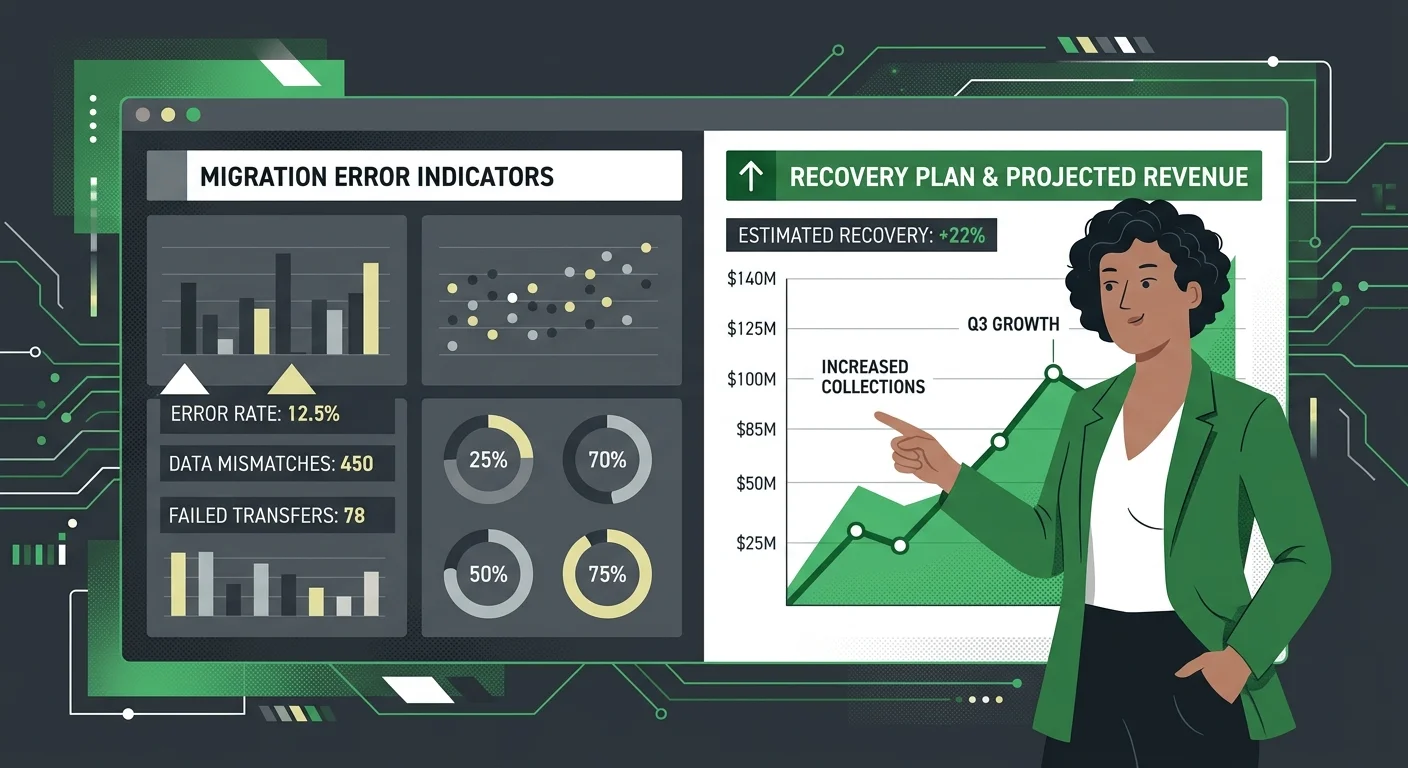
Post-migration recovery isn't generic billing work. It's specific, it takes time, and it requires access to both the legacy system and the clearinghouse archive. Not every practice needs it at the same depth. But some practices are in a recovery situation right now and haven't named it yet.
Signs You Have a Real Migration Problem
The indicators don't usually announce themselves as a crisis. They look like normal billing friction — until you run the numbers side by side.
- Cash flow dropped in the 30–90 days after migration cutoff — not dramatically, but consistently. Collections feel slower. Deposits feel smaller. Patient balances look lower than they should.
- Your AR aging shows a spike in the 0–30 bucket with a simultaneous drop in 90–120 and 120-plus — this is the clock reset. Old debt is hiding as new debt.
- Claims are submitting but ERA volume is down — the clearinghouse is receiving claims, but remittances aren't returning in normal volume. The pipeline is broken on the return leg.
- Patient balances showing $0.00 that shouldn't be — active service dates, no remaining insurance responsibility shown. The balance disappeared in the transfer.
- Staff is manually entering codes that used to be automated — care package sequences, modifier logic, code templates that don't exist in the new system. The automation is gone. Nobody said so out loud.
Any one of these is worth investigating. All of them together means you're past the investigation stage and into recovery territory. The EHR data migration revenue leakage audit guide outlines the specific steps to take before engaging outside help.
This Work Isn't a Software Problem
The instinct after a bad migration is to call the vendor.
That's the wrong call — not because the vendor is unhelpful, but because what you're dealing with now is outside their scope. The vendor fixes data portability problems: records that didn't export, configurations that didn't apply, system settings that need adjustment. That's real. That's worth calling about.
What the vendor cannot do: re-authenticate your Trading Partner ID with your clearinghouse. Manually post six months of unlinked ERAs. Rebuild your care package logic in the new system. Reconcile your AR aging against the legacy benchmark.
Those are billing operations problems. They require billing expertise. The vendor's support team is trained on the software — not on revenue cycle recovery.
The second instinct is often to treat this as a staff performance problem. The front desk dropped something. The biller missed a step.
They didn't. The migration tool handed off the data and left the financial infrastructure unbuilt. That's not a personnel failure. It's a structural gap that billing expertise has to fill.
Qualifying for a Real Recovery — and Who Shouldn't Bother Calling
Recovery work isn't a transaction. Be clear about what you're looking for before you make the call.
If your first question is "what does this cost?" — that's a signal you're approaching this the wrong way. Post-migration recovery isn't a fixed-fee cleanup service. It's a billing operations engagement with real stakes. The payment model is performance-based. If you want a flat-rate one-time fix with no ongoing relationship, that's not what this is.
If you want to know what actually happened, what's still recoverable, and how to build a billing process that doesn't let this happen again — that conversation is worth having.
The right fit: a practice that knows their billing is broken, is ready to give a billing partner read access to both systems, and wants a real answer over a clean-looking report.
Learn more about how billing software compatibility affects your full revenue cycle — not just claim submission — before and after any EHR transition.
Frequently Asked Questions
Why do my patient balances show $0.00 after the migration?
This typically happens when the migration tool transfers patient demographics but fails to inherit the historical transaction ledger that produced the balance. The patient exists in the new system. The service history might exist. But the transaction record that generated the outstanding balance didn't transfer — so the system calculates a $0.00 balance from nothing.
The fix isn't to re-enter the balance manually — that creates a duplicate and distorts your aging further. Pull the patient's full transaction history from the legacy system and reconstruct the posting sequence in the new system so the balance accurately reflects outstanding insurance responsibility. The ChiroTouch Cloud migration billing interruptions guide covers this pattern in detail for server-to-cloud transitions.
What is a "silent rejection" in a data transfer?
A silent rejection occurs when a claim passes your EHR's internal validation — it looks correct to the system, and it appears to submit — but fails at the clearinghouse because your practice's billing identity (Trading Partner ID) was reset during the migration.
No denial code is generated. No error appears on your dashboard. The claim is simply gone from the payer's perspective, while your system still shows it as submitted. The payer's timely filing window runs from the original date of service — not from when you discover the problem. If silent rejections go undetected past that window, the revenue is permanently unrecoverable.
Will my SOAP notes and clinical records always migrate?
Clinical records like SOAP notes typically transfer because they are structured, standardized content — the migration tools were designed to move this data. What doesn't migrate is the billing logic attached to those records: care package sequences, macro links, modifier rules, and Medicare documentation triggers.
The HIPAA compliance dimension of migration is also worth reviewing independently. Visit the chiropractic EHR migration HIPAA compliance guide for what your practice remains responsible for verifying — regardless of what the vendor's completion report says transferred correctly.
How do I find money that didn't post after the switch?
Start with the "Unlinked Claim Responses" queue in your new system. ERAs from the legacy server often arrive at the clearinghouse but can't find a matching charge record to attach to — because the charge records have new internal identifiers in the new system.
After checking the queue, pull your 835 file archive from the clearinghouse for the 90–180 days surrounding your migration cutoff date. Every ERA that appears in the clearinghouse record with no corresponding posted payment in either system is recoverable revenue. This is forensic billing work — it requires someone who knows what they're looking at and has access to both systems.
Can I use my old server to fix migration errors?
Yes. Your legacy server remains a read-only source of truth that should be used to reconcile discrepancies in the new system's imported ledger.
The legacy AR aging report as of your migration cutoff date is your benchmark. Everything in your new system should reconcile against it. Every discrepancy is a mapping error that needs resolution. Don't decommission your legacy access until the reconciliation is complete and verified — that access is one of your most valuable recovery tools.
How long does a post-migration billing recovery take?
It depends on the volume of unlinked ERAs, the depth of the AR aging distortion, and how much care package and macro logic needs to be rebuilt manually.
Most practices that identify the problem within 30–60 days of their migration cutoff can recover the majority of frozen revenue. Practices that wait 90-plus days before investigating start losing claims to timely filing windows — and those claims are gone. The MGMA Financial Management research on post-migration patient account reconciliation is clear: the urgency isn't about thoroughness. It's about timing.
Does my EHR vendor fix these errors?
EHR vendors fix data portability problems — records that didn't transfer, exports that need to be rerun, system configurations that didn't apply correctly.
They don't fix billing continuity problems. Re-authenticating your clearinghouse identity, manually reconciling unlinked ERAs, and rebuilding care package logic are billing operations work. The vendor's support scope doesn't cover it, and their team isn't trained for it.
This is the gap that creates real revenue loss. The vendor considers the migration complete. The billing operation isn't. For a full comparison of what billing looks like on both sides of a platform switch, review the ChiroTouch server vs. cloud billing comparison — and the EHR data migration revenue leakage audit guide for what a structured post-migration billing review actually covers.
What You Do Next
The migration didn't fail because your staff made mistakes.
It failed because a migration tool was designed to move records — and moving records isn't the same as maintaining a functioning revenue cycle. The two jobs look similar from the outside. They're not the same at all.
The financial connective tissue — ERAs linked to charge records, Trading Partner IDs authenticated with clearinghouses, AR aging reflecting accurate timestamps, care package logic rebuilt in the new environment — doesn't move automatically. It has to be rebuilt by someone who understands how billing actually works, with access to both systems and the clearinghouse archive.
Most frozen revenue is still recoverable if you move quickly. The 835 file archive holds the record. The unlinked queue holds the payments. The legacy server holds the benchmark. The recovery path exists. What it requires is a billing partner who knows how to walk it — and the discipline to start before timely filing windows close.
If you've recognized your own migration in this article — the cash flow softening, the $0.00 balances, the claims that show submitted but never paid — you're not dealing with a software problem anymore. You're dealing with a billing recovery situation. The question isn't what went wrong. The question is how much is still recoverable, and how much of that window is left.
Knowing your EHR migration is complete is one thing. Knowing your billing is still functioning is a different question entirely.
A practice assessment reviews what actually happened to your revenue cycle during the transition — not just whether claims are submitting, but whether payments are landing, ERAs are matching, and your AR reflects reality. It identifies what's frozen, what's gone, and what a real recovery looks like from here.
Book a Call to see what's still in your post-migration AR.
The migration window closes. The billing window stays open — but not indefinitely. Every week of delay is a week recoverable revenue ages past the point of return.

© 2026 Bushido Billing. All Rights Reserved | Web Design by iTech Valet