

How to Overcome ChiroFusion Claim Tracking Limitations and Clearinghouse Rejections
Learn how to fix ChiroFusion claim tracking gaps and clearinghouse rejections with a dedicated reconciliation system that restores cash flow.
Overcoming ChiroFusion's claim tracking limitations and clearinghouse rejections takes a dedicated reconciliation and correction system that runs alongside the electronic health record instead of replacing it. ChiroFusion, like most chiropractic-specific electronic health record platforms, is built for documentation, scheduling, and basic claim generation. It is not built to show, in real time and in fine detail, where a claim sits after it leaves the practice and enters the clearinghouse and payer adjudication process. That gap creates a blind spot in the revenue cycle. A claim can be rejected by the clearinghouse for a data or formatting error before it ever reaches the insurance payer. That rejection can sit unnoticed inside the software's native reporting when no separate tracking process exists. A clearinghouse rejection is not the same as a payer denial. A rejection means the claim failed a technical validation check and never entered the payer's adjudication system. A denial means the payer received the claim and declined to pay it, usually citing a specific coverage or documentation reason. Each one calls for a different corrective action. Closing this gap means layering a structured reconciliation workflow on top of the electronic health record's native output. That workflow tracks every claim from submission through clearinghouse acceptance and payer response. It flags rejections immediately rather than letting them age, and it routes each one to the correct correction path. Applied consistently, this turns billing from a reactive scramble triggered by cash flow shortfalls into a predictable, monitored revenue engine that surfaces problems the same day they happen rather than weeks later.
Why ChiroFusion Claims Stall Between Submission and Payment
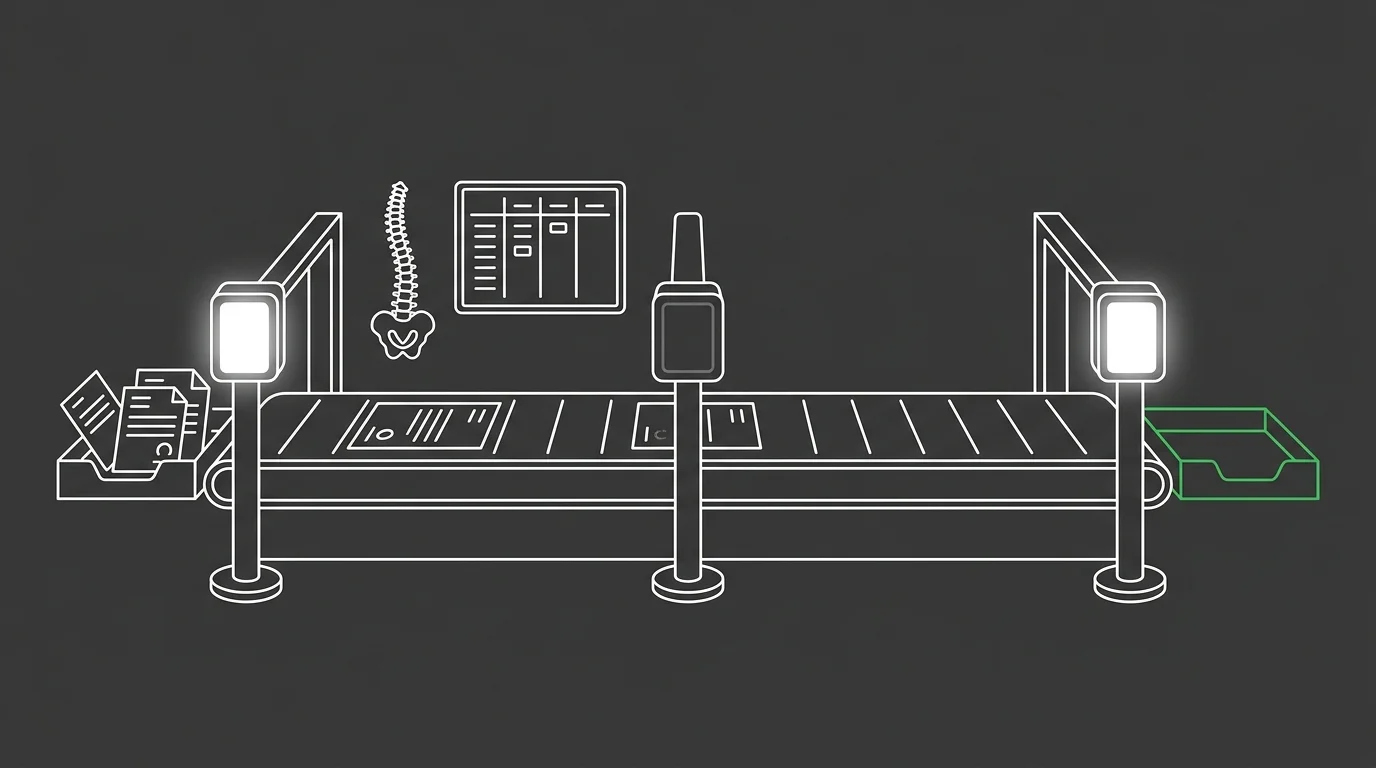
ChiroFusion tracks a claim's submission, not its outcome.
Many chiropractic practices choose an electronic health record like ChiroFusion for its streamlined, cloud-based interface. That interface is built for the front end of the visit, not the back end of the revenue cycle.
However, even the most user-friendly software can present challenges in the complex world of insurance billing.
The same dashboard that makes charting simple has no warning light for a claim that stalled in clearinghouse purgatory. For a deeper look at why platforms like this were never built to close that gap, see the gap between clinical software and revenue management.
Where the Native Reporting Screen Stops Telling the Truth
Every failure we've traced so far happens somewhere between the visit and the payer's decision. And staff feel that gap first in one specific place.
That place is ChiroFusion's claim status dashboard. It's where the software's design choices collide with what the revenue cycle actually demands, and where the mismatch stops hiding.
| Reporting Field | What It Shows | What It Does Not Show |
|---|---|---|
| Submission Date | The day the claim left the practice for the clearinghouse. | Whether the clearinghouse accepted the file for payer adjudication. |
| Payer Name | The insurance company the claim was billed to. | Whether that payer has responded, and what it said if it has. |
| Billed Amount | The dollar figure generated at the time of claim creation. | Whether that figure changed through adjudication, adjustment, or rejection. |
| Claim Status Field | A static label assigned the moment the claim was generated. | A live update reflecting clearinghouse rejection or payer denial after the fact. |
What the Claim Status Dashboard Actually Displays
Open that dashboard on any given claim and three data points appear. Submission date, payer name, and billed amount make up the entire display.
Nothing on that screen reflects what happened after the file left the building. A staff member reading it sees a moment in time, not a current status, and has no way to tell whether the clearinghouse ever accepted the file. Correcting what the dashboard misses means checking the clearinghouse layer directly, a habit covered in How to Fix Jane App ERA Auto-Posting and Claim.MD Reconciliation Gaps.
The Fields That Never Update After Submission
Some fields on that screen get set once and never touched again. Submission date locks the moment the claim generates. Payer name and billed amount lock right beside it.
No downstream event writes back into any of those three fields. A clearinghouse rejection can sit for days while the screen still shows the original submission data, unchanged and unaware.
The Clearinghouse Layer ChiroFusion Doesn't Show You
Having named the screen's blind spot, step outside the EHR entirely to the clearinghouse layer sitting between ChiroFusion and the payer. That layer is where most claim failures actually happen. It operates completely outside the software's field of view.
How a Claim Moves Through the Clearinghouse
A claim leaves ChiroFusion as a formatted file, not a finished transaction. The clearinghouse gets that file first and runs it through a series of validation checks before any payer ever lays eyes on it.
Those checks catch mismatched patient data, invalid procedure codes, and formatting errors that would otherwise stall in a payer's system for weeks. Fail validation, and the file gets kicked back on the spot. That kickback is the rejection ChiroFusion's dashboard was never built to surface.
Rejection vs Denial: Two Failures That Get Treated as One
Rejection and denial get treated as the same problem inside most practices, and that habit costs time. A rejection never reached the payer, so there is no adjudication decision to appeal, only a technical error to fix and resubmit. A denial means the payer reviewed the claim and refused payment, typically for a documentation or coverage reason.
According to CMS, insufficient documentation accounted for 95.5% of improper payments for chiropractic services in the 2024 reporting period.
That figure lands on denials, where the payer had the file and still rejected it on the merits. Confusing the two failure types means applying a documentation fix to a formatting problem, or a resubmission fix to a documentation gap. For the ledger-side version of this same confusion, see How to Resolve ChiroHD Ledger Sync Issues.
Why Treating Every Rejected Claim the Same Way Fails

Batch-resubmitting every rejection with the same fix ignores that each one failed for a different reason. That habit treats a mismatched patient identifier the same as an invalid procedure code, and neither gets corrected properly. Left unresolved, this pattern lets rejections stack up quietly, and without a robust system for tracking and resolving these rejections, practices can experience significant delays in cash flow.
| Error Category | Share of Improper Payments | Reporting Period |
|---|---|---|
| Insufficient Documentation | 95.5% | 2024 reporting period |
| No Documentation, Incorrect Coding, Medical Necessity, and Other Errors | Remaining share of improper payments | 2024 reporting period |
What Documentation Gaps Cost Before a Claim Even Reaches a Payer
The gap that lets a batch approach take hold starts before the claim ever reaches the payer. Weak documentation habits at the front end are the same root cause behind the improper payment figures already established for chiropractic claims. Fixing that root cause matters more than any resubmission workflow built on top of it. For the service layer built to close that gap, see chiropractic billing support.
Building a Reconciliation Layer That Sits Beside ChiroFusion, Not Inside It
Every failure mechanism above traces to the same missing part. ChiroFusion needs a reconciliation layer running parallel to it, not a replacement for it.
| Reconciliation Stage | Trigger Point | Staff Action |
|---|---|---|
| Daily Claim Sweep | Every claim submitted the previous day reaches its first checkpoint | Staff compare each submission against clearinghouse status before new claims go out that morning |
| Rejection Triage | A clearinghouse kickback appears before payer adjudication ever happens | Staff separate technical formatting errors from documentation gaps and route each to the correct fix |
| Front-End Eligibility Check | A visit is scheduled and coverage has not yet been confirmed | Staff verify eligibility ahead of the appointment to catch mismatched patient data before submission |
| Aging Review | A rejection has sat unresolved past the point where it should have been caught | Staff pull the stalled claim out of the queue and correct it before it compounds into a cash flow delay |
The Daily Reconciliation Sequence
That layer runs on a fixed cadence, not a reactive one. Every claim submitted the previous day gets checked against clearinghouse status before new claims go out, so a rejection surfaces within a day instead of aging quietly.
Where Eligibility Verification Fits in the Sequence
Eligibility verification sits right at the front of that sequence. Check coverage before the visit and you catch the patient data mismatches that would otherwise trigger a clearinghouse rejection days later. The gap closes before it ever opens.
Correcting and Resubmitting Without Repeating the Same Rejection
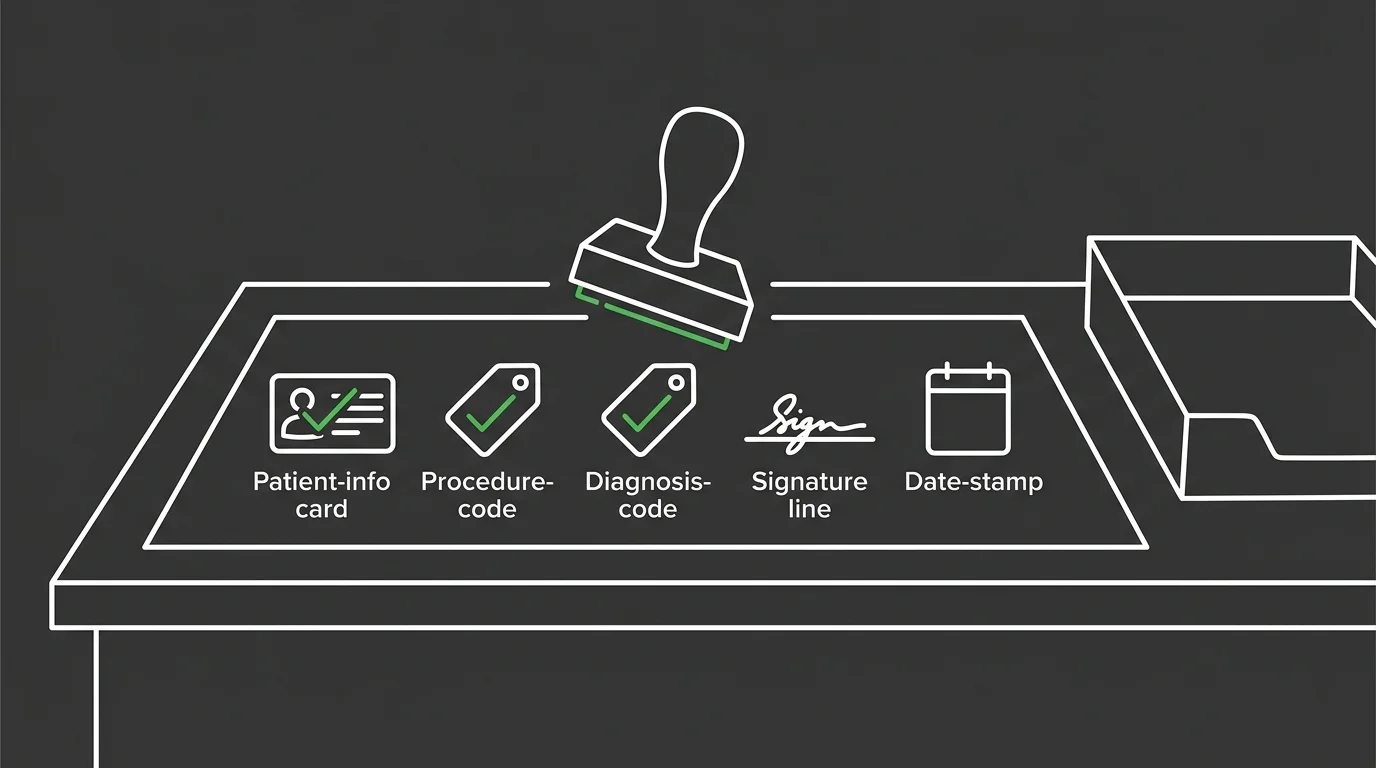
Prevention closes most of the gap. Not all of it. Some claims still reject, and each one needs a correction path matched to what actually broke it.
| Checklist Step | Field Verified | Common Trigger |
|---|---|---|
| Patient identifier check | Name, date of birth, and insurance ID as loaded into ChiroFusion versus the payer's file | A typo or outdated ID captured during a rushed check-in |
| Procedure and diagnosis code check | Alignment between the codes generated in ChiroFusion and the payer's current code set | A code that was valid last cycle but retired or revised since |
| Payer routing check | Payer ID and clearinghouse routing string attached to the claim file | A payer that changed its routing details without notifying the practice |
| Format and field completeness check | Every required field on the claim form populated in the format the clearinghouse expects | A field left blank or formatted incorrectly during claim generation |
| Resubmission confirmation check | Fresh clearinghouse acceptance status after the corrected claim goes back out | Treating a changed status inside ChiroFusion as proof of acceptance instead of confirming it |
Building the Correction Checklist
A useful checklist sorts the error type before anyone touches the claim. A patient identifier mismatch, an invalid procedure code, and a payer ID error each want a different fix, not the same resubmission click.
Confirming a Resubmission Actually Cleared the Clearinghouse
Resubmitting is not the finish line. The corrected claim needs a fresh clearinghouse acceptance check, not just a changed status field inside ChiroFusion. That confirmation is the missing gauge on the dashboard the software never built.
Frequently Asked Questions
The architecture matters, but staff still need answers to specific questions on a Tuesday afternoon. These are the ones that come up most once a practice starts building this system.
What are the most common clearinghouse rejection codes for claims submitted through ChiroFusion?
Most rejections trace back to three things: mismatched patient identifiers, invalid or outdated procedure codes, and wrong payer ID fields. Each one breaks for a different reason. So each one needs its own fix, not a single resubmission click.
How can I effectively track the status of a rejected claim within ChiroFusion's interface?
The native screen shows submission date, payer, and billed amount, and nothing else. Real status lives in the clearinghouse portal, checked against that claim on a fixed daily cadence.
What is the difference between a clearinghouse rejection and an insurance payer denial?
A rejection means the clearinghouse stopped the file before any payer saw it, so there is no decision to appeal. A denial means the payer reviewed the claim and refused payment, usually for a documentation or coverage reason.
Are there third-party tools that integrate with ChiroFusion to improve claim tracking?
Clearinghouse portals themselves surface far more detailed rejection reporting than most electronic health records ever show. That reporting is the foundation. Layer a dedicated reconciliation process on top of it, and the gap ChiroFusion's dashboard leaves open finally closes.
What are the first steps staff should take when a batch of claims is rejected?
Sort the batch by error type before anyone touches a claim. Patient identifier errors, procedure code errors, and payer ID errors are three distinct corrections, not one. Then confirm fresh clearinghouse acceptance on every resubmission before calling it done.
How does documentation quality affect clearinghouse rejection rates?
Weak front-end documentation drives most of the errors that surface later as rejections and denials. That's the root cause. Tighten documentation habits before submission and you stop more failures than any correction workflow built after the fact ever will.
Where This Leaves ChiroFusion Practices
ChiroFusion was never going to build this instrument panel. Its dashboard was designed for charting and scheduling, not for tracking what happens to a claim after it leaves the building.
And that's not a flaw to fix inside the software. It's a gap to close right beside it, with a reconciliation layer that checks clearinghouse status daily, sorts rejections from denials, and routes each one to the correction it actually needs.
So the real choice is build or buy. A practice can assemble that instrument panel internally, gauge by gauge, or bring in a system already built to run it, and either way the missing gauge finally gets installed. To see what that reconciliation layer looks like running alongside ChiroFusion day to day, book a call with Bushido Billing.