

Why is a Human Biller Necessary to Fix ChiroTouch Cloud Migration Errors?
A human biller is necessary because ChiroTouch Cloud migration errors aren't software bugs — they're credential failures at the protocol level. When a practice moves from server-based ChiroTouch to the cloud environment, the migration tool transfers patient records, appointment history, and SOAP notes. What it doesn't transfer is your billing identity at the payer level.
Your NPI credentials are registered with your clearinghouse under a specific network configuration — the authentication tokens, port settings, and environment identifiers that belong to your legacy server. The cloud environment uses a different configuration entirely. Your Trading Partner ID, ERA delivery endpoints, and payer-level security registrations still point to infrastructure that no longer exists. The migration tool marks the job complete because the data transferred. It has no mechanism to re-authenticate your billing identity with each payer.
The result is a specific, quiet failure. Claims go out. The EHR confirms "Sent." The bank account doesn't change. ERA payments arrive at the clearinghouse but can't link to the correct charge records because the unique identifiers from the legacy server don't exist in the cloud architecture. Payer systems receive submissions under credentials they no longer recognize — and the rejection often isn't a hard denial that triggers a workflow. It's a silent one that triggers nothing.
Fixing this requires forensic reconciliation. Someone who can cross-reference the legacy accounts receivable against the cloud ledger, pull clearinghouse transaction files, and identify exactly what's unlinked and why. There's no script that re-authenticates an NPI with a payer. There's no automation that manually relinks an orphaned ERA to its matching charge. These are judgment tasks — and they require a human actively working the problem, not a dashboard that marks claims processed and moves on.
This article covers the specific technical failures that occur at migration, why the "Sent" status in your EHR dashboard is the most misleading metric in your post-migration billing, and what a forensic recovery process actually involves.
Last Updated: April 20, 2026
- The Migration Isn't an Update — It's a Credential Reset
- The Three Technical Failures That Require Human Intervention
- The Silence of the Cloud — When "Sent" Doesn't Mean "Paid"
- What Forensic Migration Recovery Actually Looks Like
- Frequently Asked Questions
- Why can't the ChiroTouch Cloud automated tool fix my clearinghouse connection?
- What is ERA reassociation and why does it break in the cloud?
- How does MFA block automated billing?
- Can I recover revenue that disappeared during the switch?
- Is clean claim scrubbing enough to prevent migration denials?
- What's the difference between a billing error and a migration failure?
- How long does it typically take to resolve a migration billing failure?
- The Answer Is in the Architecture — and the Architecture Requires a Human
The Migration Isn't an Update — It's a Credential Reset
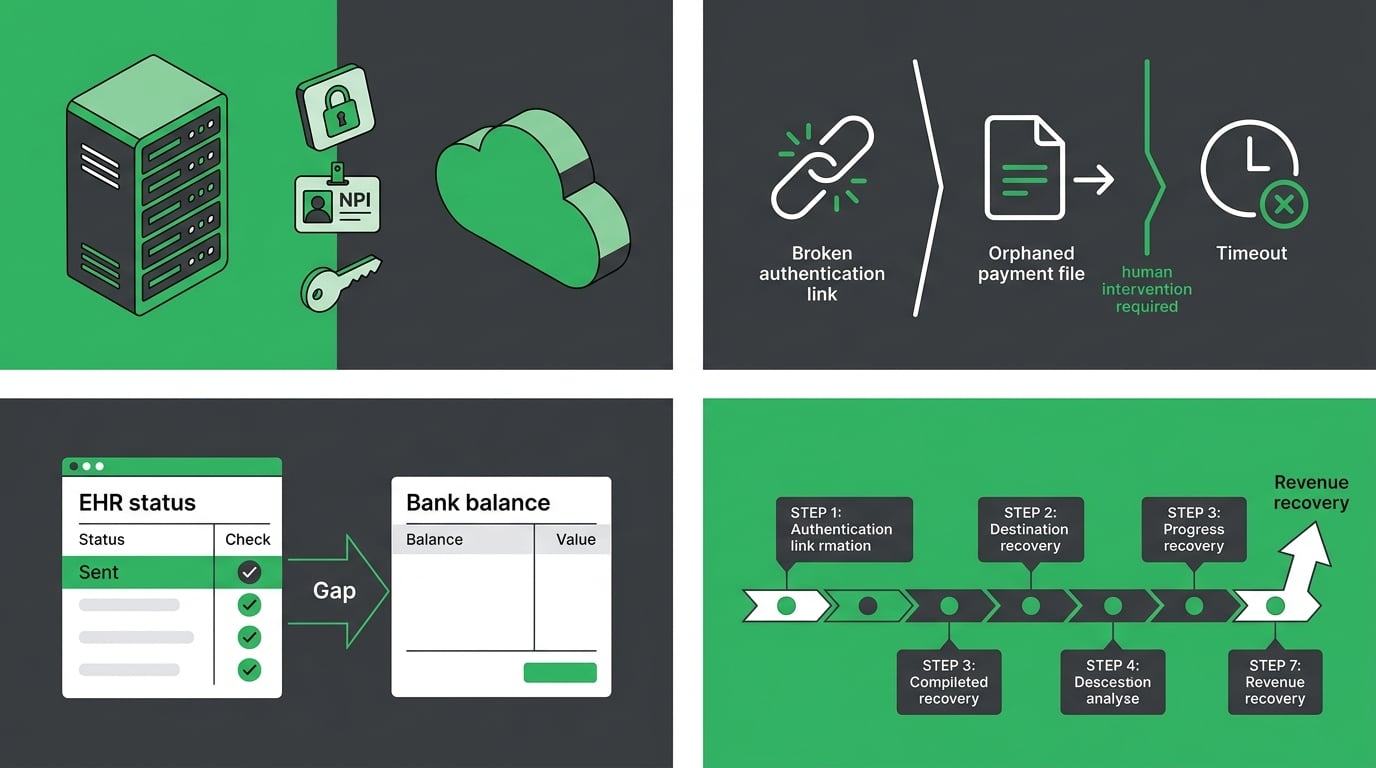
The migration is done. That's what the vendor's confirmation says.
Your clearinghouse doesn't know that. Your payers don't know that. And until someone re-authenticates your billing identity with each of them — one payer at a time — your bank account won't know either.
ChiroTouch's migration tool does its job correctly. It moves patient records, SOAP notes, appointment histories, and charge data from the server environment to the cloud. What it doesn't move is the security architecture that connects your practice to every payer you're contracted with. That architecture lives outside the EHR. In clearinghouse registrations, payer portals, and ERA delivery configurations. None of it follows the data automatically. None of it even knows the migration happened.
What the Migration Tool Actually Moves — and What It Doesn't
The gap between a successful migration and a functioning billing operation starts here.
| Category | What Migrates | What Doesn't Migrate | Action Required |
|---|---|---|---|
| Clinical Records | Patient demographics, SOAP notes, appointment history | — | No action |
| Billing History | Charge records, past claim data | Active care package links, macro connections | Manual rebuild in cloud |
| Provider Identity | Provider information on file | NPI clearinghouse registration, Trading Partner ID | Re-authenticate per payer |
| Clearinghouse Config | — | ERA delivery endpoints, API authentication tokens | Full reconfiguration |
| Security Architecture | — | Legacy server authentication credentials | Re-issue for cloud environment |
ChiroTouch's own migration documentation confirms that active care packages and macro links don't transfer automatically — manual rebuilds in the cloud environment are required.
That's the visible layer. The one that shows up in the vendor's documentation.
The billing credential layer doesn't show up anywhere. It doesn't create an error message. It creates silence — a dashboard full of "Sent" statuses and a collections report that doesn't move.
Every claim submitted before credentials are reset goes out under an identity the payer no longer recognizes. The clearinghouse accepts it. The payer doesn't post a remittance. The EHR doesn't flag anything because its visibility ends at transmission. "Sent" is accurate. The claim was transmitted. What happened after that is a different story — and it's not visible from inside the EHR.
That gap is exactly what full-service chiropractic billing is structured to close. Submission and payment aren't the same event. Treating them as the same is how practices watch months of migration revenue disappear without understanding why.
Why Automation-Forward Billing Can't Fix a Broken Environment
Volume-first billing is designed for stable environments. When conditions are right, it works well — clean claim goes out, remittance comes back, payment posts.
Migration removes "stable" from the equation.
When the credential layer is broken, the entire submission pathway is broken. Automation doesn't know that. It wasn't built to check. It submits into the broken environment because submission is its function. Claims exit the EHR. Some are accepted by the clearinghouse. Many aren't processed by the payer. Soft rejections at the authentication layer don't always return a denial file — so the system reads "processed" and moves to the next claim.
Your AR grows. Your ERA backlog grows. The dashboard shows green.
The EHR Transition Study published in PubMed Central confirms that data integrity issues — including lost or unlinked data — are among the most significant risks during environment-to-environment EHR migrations. Automation doesn't surface those risks. A human watching the gap between "submitted" and "deposited" does.
That's why practices experiencing billing failures after ChiroTouch Cloud migrations need ChiroTouch Cloud specialists — not faster submission tools. Faster submission into a broken environment isn't a solution. It's a bigger problem.
The Three Technical Failures That Require Human Intervention
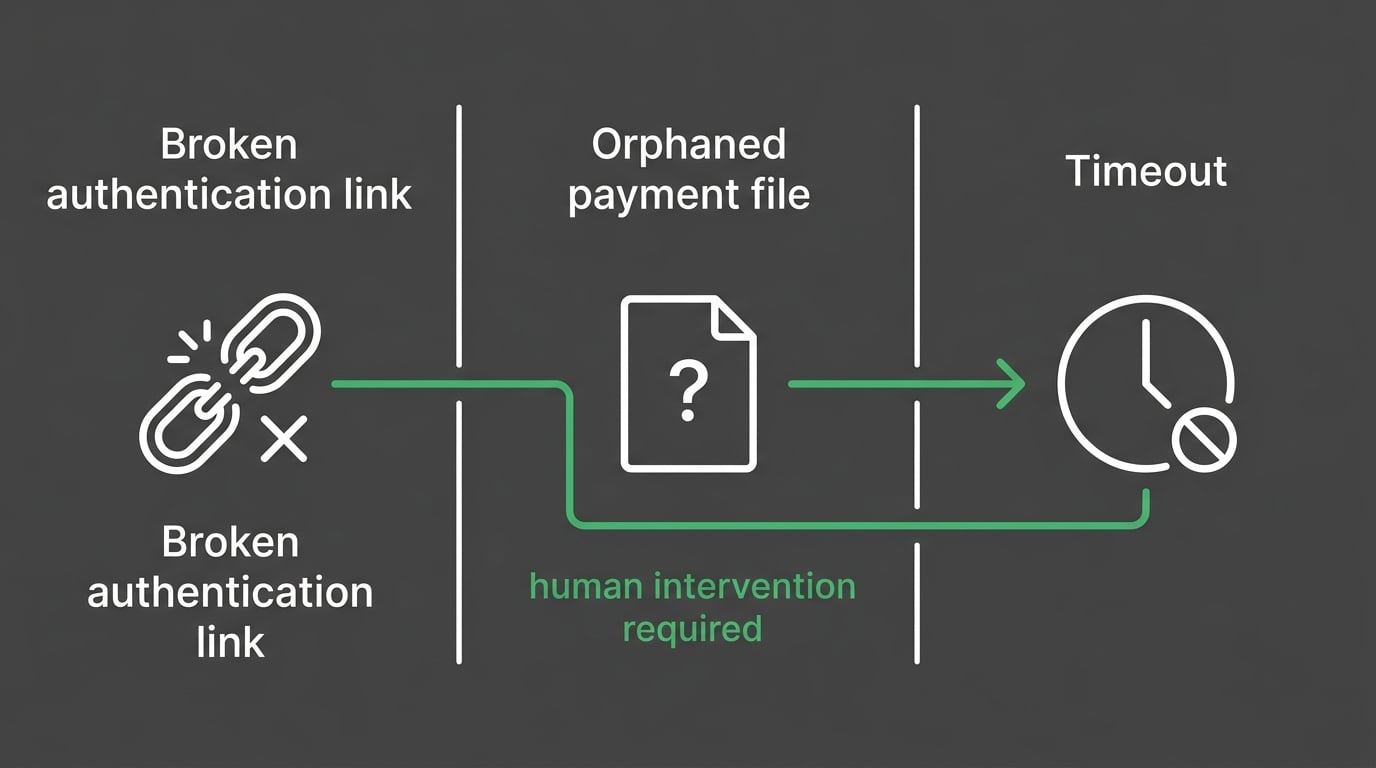
These aren't edge cases. They're the consistent pattern across every ChiroTouch Cloud migration recovery — three specific failure categories that require human action to resolve and won't fix themselves.
| Failure Type | What Breaks | Why Automation Can't Fix It | Revenue Risk |
|---|---|---|---|
| Credential Desync | NPI and Trading Partner ID deregistered at payer level | Requires human-initiated re-authentication per payer | Claims silently rejected; no remittance |
| ERA Reassociation | Payment files arrive unlinked from charge records | Requires manual cross-reference of 835 files against open AR | Revenue appears outstanding; payment already received |
| MFA Lockout | Automated batch sessions timeout at authentication prompt | Human must be present in session to complete MFA challenge | Batch submissions fail without clear error messaging |
Credential Desync and NPI Re-Authentication
Your payer relationships are authenticated through identifiers tied to a specific environment — your NPI, your Tax ID, your Trading Partner ID, and the server credentials that connected them.
The cloud environment has different credentials. The payer doesn't know that yet.
Until someone re-authenticates your practice with each contracted payer — providing the new environment details, re-registering the Trading Partner ID, and confirming the submission pathway is rebuilt — every claim goes out under an identity the receiving system doesn't recognize. Not a wrong identity. An unknown one.
CMS's Medicare Compliance Tips for chiropractic services identifies an improper billing rate of 33.6%, with documentation and authentication errors cited as recurring drivers. A credential desync adds another failure layer on top of an already high-risk billing environment. For Medicare submissions especially, where authentication scrutiny is highest, the consequences compound quickly.
Re-authentication is a payer-by-payer process. Each has its own verification protocol. Some require portal confirmation. Some require phone verification. Processing windows can run 1–5 business days per payer. During that window, claims going through the old pathway are at risk — and the practice may receive no denial at all. Just nothing.
- NPI re-authentication (per payer) — Re-registering under the new cloud credentials. Timeline: 1–5 business days per payer depending on the payer's verification protocol.
- Trading Partner ID re-registration (per payer) — The unique identifier connecting your practice to each payer's billing system. Must be individually updated with every contracted payer.
- API token reissuance (for integrated workflows) — Cloud migrations invalidate legacy API tokens. Any workflow running on an old token fails silently until the token is reissued under the new environment.
ERA Reassociation and Orphaned Payments
ERA — Electronic Remittance Advice — is the payment file that arrives when a payer processes a claim. In a working environment, it matches to the correct charge record and the claim closes.
During migration, that match breaks.
The ERA arrives at the clearinghouse. But it references charge identifiers from the legacy server — identifiers that don't exist in the cloud database. The ERA has nowhere to post. It sits received and unattached while the charge stays open in the AR. The payment that already arrived is invisible because nothing connected it to the claim it belongs to.
This is what practitioners mean when they say revenue "disappeared" after the switch. It didn't disappear. It arrived. It just couldn't land anywhere in the new environment — and no one was looking for it.
The EHR Transition Study published in PubMed Central identifies lost and unlinked data as among the highest-risk outcomes of environment-to-environment migrations. ERA orphaning is exactly this — payment data that arrived correctly but became disconnected from its destination record.
Recovering it requires pulling the 835 transaction files from the clearinghouse, cross-referencing them against open charges in the cloud ledger, and manually posting each unmatched payment to its corresponding charge. This isn't a submission problem. It's a reconciliation problem. And reconciliation requires someone who understands why two systems disagree — not a workflow that processes what's in front of it and moves on.
MFA Lockouts and Batch Submission Failures
Cloud environments require Multi-Factor Authentication. It's an industry-wide security standard — not ChiroTouch-specific — and it creates a specific structural conflict with automated batch submission.
When an automated script opens a cloud session, it hits the MFA prompt and has no way to respond. The session times out. The batch fails. Claims don't go out.
What makes this hard to catch: the EHR doesn't always surface a clean error reason. The batch shows as incomplete. The practice retries. The same thing happens again. By the time someone identifies MFA as the cause, the submission window has closed and nobody can clearly explain what happened.
Experian Health's research on AI in RCM shows that over half of healthcare leaders consider human oversight essential as billing environments grow more complex. MFA enforcement is one of the clearest examples of why. The human isn't optional overhead in a cloud billing operation. The human is the authentication step automation can't complete.
A biller in an active cloud session responds to the prompt, holds the session, and sees the batch through. There's no workaround that replaces this. In any post-migration billing environment where MFA is enforced, a workflow that relies entirely on automated submission is broken before the first claim goes out.
The Silence of the Cloud — When "Sent" Doesn't Mean "Paid"
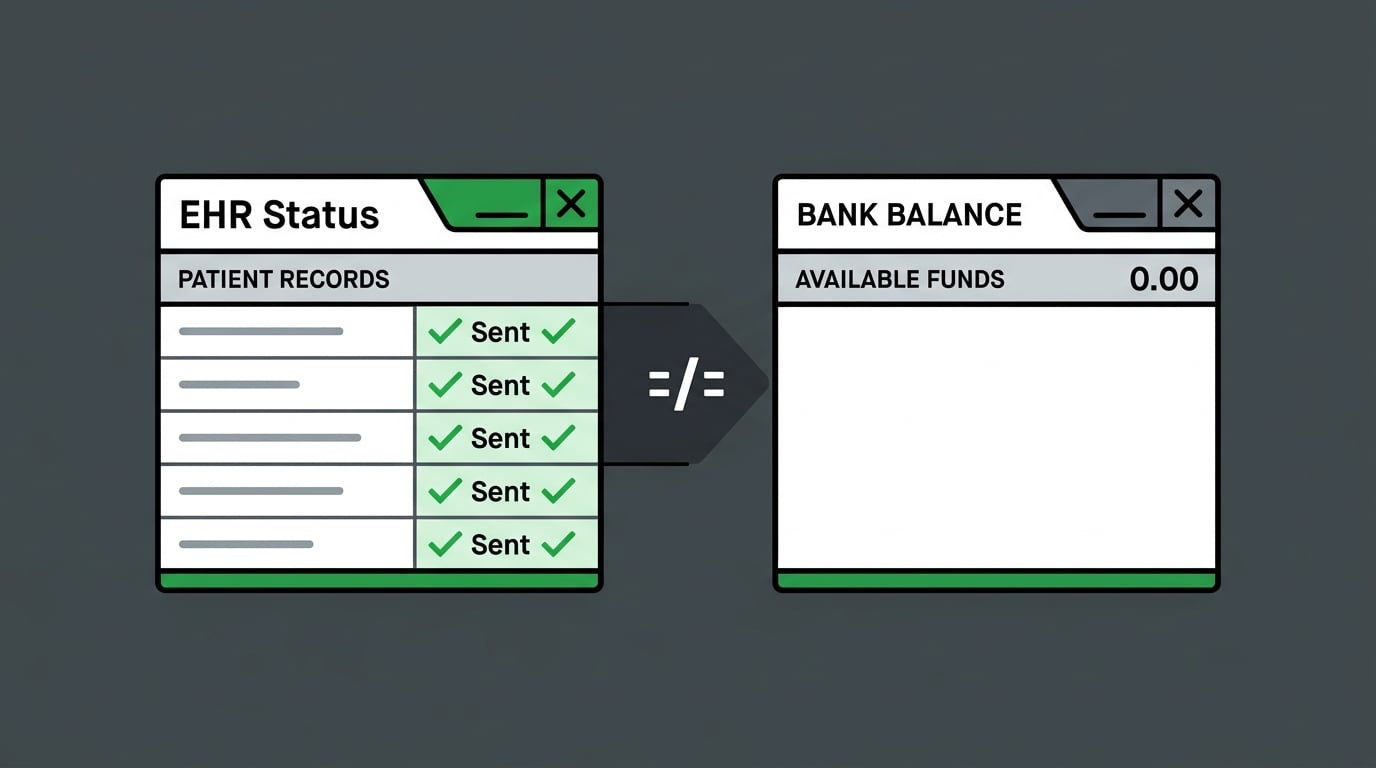
The most dangerous characteristic of a post-migration billing failure isn't the technical complexity.
It's how clean everything looks while the revenue disappears.
Denials give you something to work. You see them, you address them, you move forward. Migration failures in ChiroTouch Cloud don't always produce denials. They produce statuses. "Sent." "Received." "Processed." A dashboard full of green that doesn't correspond to anything in your bank account.
Reading the Gap Between Submission and Deposit
Here's the difference between a submission technician and a forensic billing expert.
A submission technician checks the EHR. "Sent" means done.
A forensic billing expert pulls the 835 files from the clearinghouse. Matches them against the 837 submissions. Compares the open AR against what actually posted to the ledger. Checks payer portals directly for processing status. Asks: where did the money from these specific claims actually go?
That question can't be answered from inside the EHR. The EHR's visibility ends at transmission. What happens downstream — whether the clearinghouse matched the claim to an active provider record, whether the payer processed or silently rejected it, whether the ERA posted or sat orphaned — lives in the clearinghouse logs and payer portals. Reading those requires someone who knows what they're looking for and what a discrepancy actually means.
The practice that loses the most revenue in a migration isn't the one that had obvious denials it ignored. It's the one where everything looked like it was working — and no one looked closely enough to see that it wasn't.
Understanding what's in that gap is part of active revenue defense. It starts with mapping what was submitted, what was received, and what actually posted — because after a migration, those are three different lists.
If Price Is Your Primary Filter, This Conversation Isn't for You
Migration recovery billing isn't a commodity. If "what's your rate?" is the first question in any billing evaluation — and the only one — this probably isn't the right fit.
Not because the question is unreasonable. Because the rate won't tell you whether your orphaned ERAs get found. Whether credentials get re-authenticated with every affected payer. Whether someone is actively managing your MFA sessions during submission windows. Those outcomes come from process and expertise. Fee structure doesn't determine them.
A volume-first operation will look attractively priced. It'll submit your post-migration claims into a broken credential environment and report that claims are "sent." The rate looks fine. The collections don't.
Bushido Billing's model is performance-based — we get paid when you do. That isn't a tagline. It's the structural reason that finding orphaned ERAs and re-authenticating desynced credentials is worth doing thoroughly. The work is tied to the result. Billing software compatibility matters operationally, but it doesn't determine who's actually watching the revenue on your behalf.
If you're looking for a hands-off arrangement — credentials passed over, no provider cooperation needed, quarterly check-ins — this isn't the right fit either. Effective migration recovery requires active EHR access, documentation availability, and provider involvement in payer re-authentication. A practice that disengages produces a billing relationship that can't work. That's true regardless of who's running the billing.
The Forensic Biller vs. the Submission Technician
The difference between a forensic billing expert and a submission technician isn't attitude or effort. It's function. Here's what that looks like on the specific tasks a ChiroTouch Cloud migration recovery requires.
| Task | Submission Technician | Forensic Billing Expert |
|---|---|---|
| Post-migration claim status | Checks EHR dashboard | Cross-references 835 files with open AR |
| Clearinghouse credential status | Not reviewed | Re-authenticates NPI and Trading Partner ID per payer |
| ERA posting | Waits for auto-post | Manually identifies unmatched payments and relinks |
| Batch submission failures | Retries or flags as tech issue | Identifies MFA lockout, establishes human-managed session |
| Legacy AR vs. cloud ledger | Treats as separate systems | Reconciles both to find migration gaps |
| Active care package links | Not rebuilt | Manual rebuild in cloud environment |
| Documentation for audit trail | Not produced | Reconciliation documentation created throughout |
A submission workflow handles the environment it finds. A forensic recovery workflow investigates the gap between the environment it expected and the one it actually found.
When migration breaks the environment, investigation is the only function that matters. Submitting faster into a broken pathway isn't progress. It's a deeper problem.
What Forensic Migration Recovery Actually Looks Like
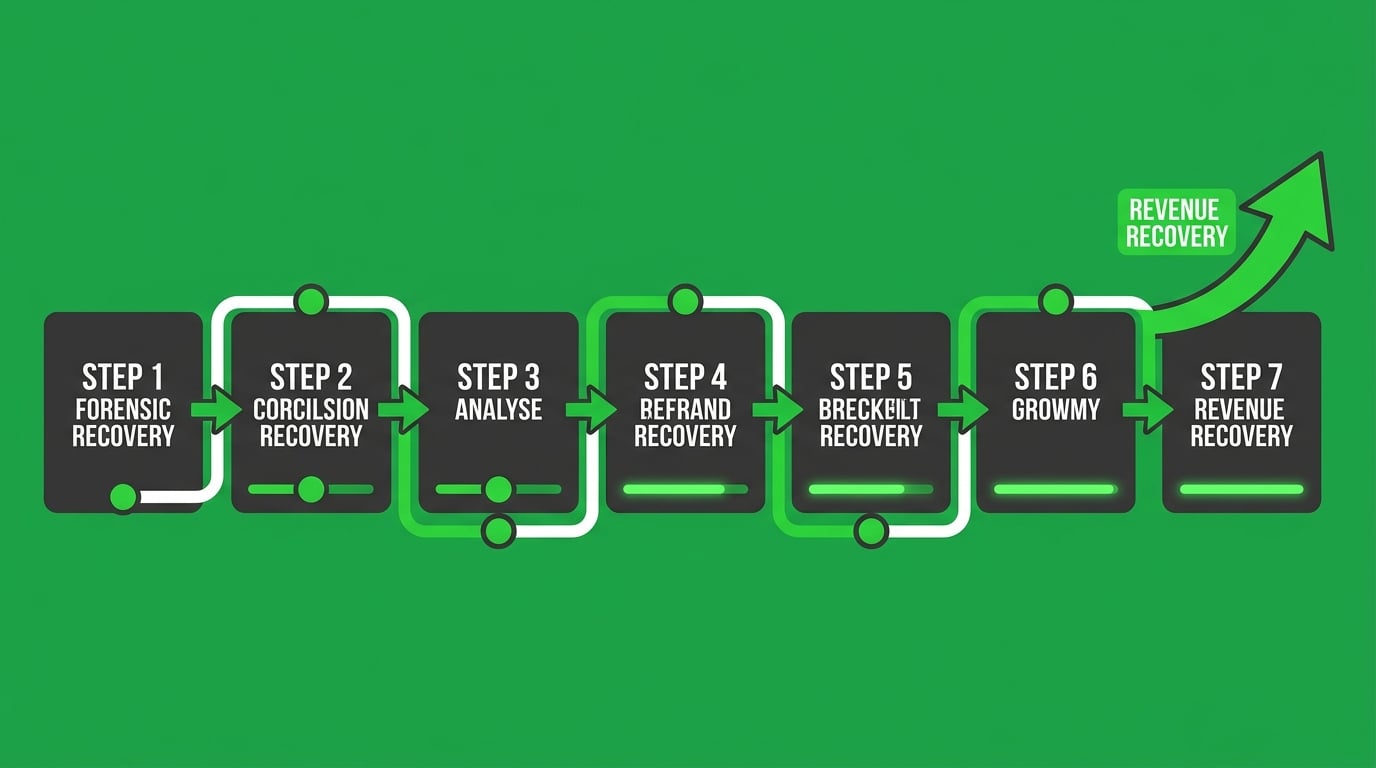
Recovery starts before any new claims enter the system.
That's not a procedural preference — it's a structural requirement. Submitting new claims before credentials are re-authenticated compounds the backlog. Rebuilding care packages before the ERA backlog is reconciled creates new matching failures. The recovery sequence exists because the order determines what's recoverable.
The Seven-Step Reconciliation Process
Every ChiroTouch Cloud migration recovery follows the same forensic sequence:
- Legacy AR baseline — Pull the complete accounts receivable report from the server-based environment as of the migration date. Every open claim, every pending remittance, every unresolved denial. This is the starting record for everything that should have followed.
- Cloud ledger comparison — Map the legacy AR against what exists in the cloud environment. Identify every claim that didn't carry over cleanly, every charge with a missing or unmatched ERA.
- Clearinghouse transaction audit — Pull 835 ERA files from the clearinghouse for the full migration window. Identify received payments that haven't posted. Flag submissions with soft or silent rejections.
- Credential re-authentication — Re-register the NPI, Trading Partner ID, and API tokens with each affected payer. Confirm new cloud credentials are accepted before any new claims go through the rebuilt pathway.
- ERA reassociation — Manually relink each orphaned payment from the 835 files to its corresponding charge in the cloud ledger. Confirm posting. Close the claim.
- Care package and macro rebuild — Reconstruct active care package links and macro connections that didn't migrate. Verify against the original server-based configuration.
- MFA-compatible submission protocol — Establish a human-managed submission workflow for the cloud environment. Configure for MFA compliance. Document the process for continuity.
User reviews of ChiroTouch in 2026 consistently report inconsistent billing outcomes and limited automated resolution for complex cloud-based ledger issues — exactly the pattern that emerges when credential and ERA failures go unaddressed without forensic billing oversight.
This is not a quick project for practices with significant backlog. The duration scales with how long the practice ran in the broken environment before identifying the problem. That's the variable that determines how much is still workable — and how much has already aged past the point of return.
How Long Recovery Takes — and Why Timing Is the Only Variable That Matters
The question every practice asks at the start of a recovery conversation is "how long will this take?"
One variable answers it: how long the practice operated in the broken state before engaging a forensic billing expert.
| Duration in Broken State | Typical Recovery Complexity | Primary Risk |
|---|---|---|
| Under 2 weeks | Moderate — limited ERA backlog, credentials recently desynced | Lower revenue aging; most claims workable |
| 2–6 weeks | Significant — ERA backlog growing, some claims approaching filing limits | Payer filing deadlines may close some claim windows |
| 6–12 weeks | Severe — extensive ERA backlog, aging AR, multiple payers desynced | Significant claim loss; some revenue unrecoverable |
| 12+ weeks | Critical — late filing deadlines exceeded on early claims | Revenue loss accelerates; requires aggressive triage |
The billing industry's default response to migration problems is to wait. Wait for a vendor patch. Wait for the support ticket. Wait for the next update. That's expensive patience — because while the practice waits, ERA backlogs grow, filing windows close, and revenue ages past the point of return.
Understanding the full financial cost of migration downtime before it becomes permanent loss is what a ChiroTouch Cloud specialist review surfaces — and why engaging early is structurally different from engaging after the damage compounds.
For practices working through the operational detail of this process, the step-by-step guide to recovering lost claims data after a ChiroTouch server-to-cloud switch covers the specific data recovery workflow in detail.
And for a direct comparison of how a full-service billing partner differs from ChiroTouch's integrated billing model when migration problems occur, the side-by-side view with a ChiroTouch Cloud specialist perspective is the right starting point before making any post-migration billing decisions.
Frequently Asked Questions
Why can't the ChiroTouch Cloud automated tool fix my clearinghouse connection?
The migration tool moves data. It doesn't manage the security protocol between your practice and your contracted payers.
Your clearinghouse connection is authenticated through your NPI, your Trading Partner ID, and the environment credentials that were tied to your legacy server. When the cloud environment brings different credentials to the table, the clearinghouse hasn't been told about the change — it still has your old server configuration on file. Every claim submitted under the new environment is going through a pathway the clearinghouse doesn't recognize as valid.
Re-registering requires a human to initiate the process with each payer individually, confirm the new environment credentials, and verify the connection before any claims go through the rebuilt pathway. It's a security handshake, not a data transfer. No automated tool can complete it on your behalf.
The migration tool's job ends when the data moves. The credential reset is a separate project that hasn't started yet.
What is ERA reassociation and why does it break in the cloud?
ERA stands for Electronic Remittance Advice — the payment record a payer sends when it processes a claim. In a functional environment, the ERA matches automatically to the charge record it corresponds to, the claim closes, and the payment posts.
The matching works because both sides — the ERA from the payer and the charge record in the EHR — share unique identifiers created in the same environment.
When you migrate to the cloud, those identifiers change. The ERA from the payer still references legacy server charge IDs. The cloud database has a different identifier structure. Nothing matches. The payment sits received and unattached, the charge stays open in your AR, and your collections report shows outstanding revenue that's actually already been paid.
ERA reassociation is the process of manually pulling those 835 payment files from the clearinghouse, matching each one to its corresponding charge record in the cloud ledger, and posting it correctly. It requires someone who can read both systems simultaneously and understand why they disagree. No software automates this post-migration — because reconciling two environments isn't what billing software is built to do.
How does MFA (Multi-Factor Authentication) block automated billing?
Multi-Factor Authentication requires a real-time response to a security challenge during login. Automated batch submission scripts open a cloud session the same way any user would — but when the MFA prompt appears, the script has no mechanism to respond. The session expires. The batch fails.
The practice retries. The same thing happens. The failure reason isn't obvious from the EHR's error messaging, so it gets categorized as a "technical glitch" and escalated to IT or vendor support — neither of whom resolves it because the fix isn't technical. It's structural.
A human biller running an active cloud session answers the MFA challenge, keeps the session alive, and sees the batch through to completion. That's the entire fix. In a post-migration cloud environment where MFA is enforced, batch submission scripting without a human in the session isn't inefficient — it's non-functional from the start.
Can I recover revenue that disappeared during the switch?
In most cases, yes — but the window for recovery isn't unlimited.
The first pathway is the ERA backlog. Pulling 835 files from the clearinghouse for the migration window, identifying payments that arrived but didn't post, and manually linking each to its corresponding charge. This recovers revenue that's already there — it just hasn't been applied correctly.
The second pathway is resubmission. Once credentials are re-authenticated, silently rejected claims from the desync period can be resubmitted — provided the payer's filing deadline hasn't passed.
Most payers allow 90–180 days from date of service for claim submission. Practices that ran in the broken state for an extended period before engaging a forensic billing expert may find that the earliest claims in the backlog have already aged past the filing window. That revenue isn't recoverable at the payer level.
The recovery window is determined by how quickly you move — not by the severity of the original failure.
Is clean claim scrubbing enough to prevent migration denials?
No. Not even close.
Scrubbing validates claim structure — diagnosis codes, procedure codes, modifier usage, required fields. It confirms the claim is formatted correctly before transmission. That's useful when the billing environment is intact.
It does nothing for a broken credential pathway. A perfectly scrubbed claim submitted through a desynced authentication layer still gets silently rejected by the payer — because the payer doesn't recognize the environment the claim came from, not because the claim is formatted incorrectly.
Scrubbing and credential authentication are different layers of the billing architecture. One verifies form. The other verifies identity. A clean claim traveling through an unrecognized submission environment is still a claim that doesn't get paid. The problem isn't what's on the claim. It's the infrastructure the claim is traveling through.
What's the difference between a billing error and a migration failure?
A billing error is a problem with a specific claim — wrong code, missing modifier, documentation gap. It's workable through the standard denial management and appeals process.
A migration failure is a problem with the billing environment itself. The credentials are wrong. The ERA pathway is broken. Every claim going into that environment is at risk — not because of anything on the claim, but because of the infrastructure it's traveling through.
The fix is completely different. Billing errors are corrected claim by claim through the appeals workflow. Migration failures require a full environment audit and reset before any claim-level work produces reliable results. Trying to manage individual denials while the environment is broken is addressing the wrong layer. The claim can be perfect. It still doesn't reach the payer correctly.
How long does it typically take to resolve a ChiroTouch Cloud migration billing failure?
The timeline depends almost entirely on how quickly the failure was identified and how many payers were affected.
For practices that catch it within the first two weeks — before significant ERA backlog builds — a complete credential reset and reconciliation typically takes 30–45 days. Most of that time is payer processing, not active work.
For practices that ran in the broken state for six weeks or more, the timeline extends significantly. The backlog is larger, some filing windows may have already closed, and the reconciliation is more complex. Recovery in this range can run 60–90 days — and not all revenue from the broken period will be workable.
The most reliable predictor of recovery success isn't the severity of the initial failure. It's how fast the practice recognized something was wrong and brought in someone with the forensic expertise to find out why.
The Answer Is in the Architecture — and the Architecture Requires a Human
Submission is not billing. Getting paid is billing. Every ChiroTouch Cloud migration case that results in unrecovered revenue follows the same pattern: the vendor confirms it's done, the practice resumes billing, automated submissions go out with green statuses, and weeks pass before anyone looks at the collections closely enough to realize nothing is actually posting. By then, the ERA backlog is significant, some filing windows have closed, and the recoverable revenue is smaller than it was.
The objection that surfaces in every recovery conversation is reasonable: "We're paying for cloud automation. Why do we need a human on top of that?" The answer is that automation does exactly what it's designed to do — submit claims. What it can't do is re-authenticate your NPI with every payer whose credentials changed when your server disappeared. It can't pull the 835 files from the clearinghouse and manually relink each orphaned payment to the charge it belongs to. It can't respond to an MFA prompt to keep a batch session alive. These aren't gaps waiting for a software patch. They're structural realities of how credential-based payer authentication works — and no version of the software changes them.
The practices that recover the most revenue after a ChiroTouch Cloud migration are the ones who recognized early that "migration complete" and "billing restored" are two separate events — and engaged forensic billing expertise before the window to act started closing.
If your collections don't match what your migration dashboard is telling you — the gap has a name, and in most cases, the revenue in it is still workable.
A practice assessment maps what the migration actually broke at the credential and ERA level: which payer relationships need to be rebuilt, which payments arrived unposted, and what the recovery looks like before more of it ages out of the filing window.
Book a Call to map your migration's revenue exposure before the filing windows close.
The credential architecture is fixable. The recovery window isn't permanent — and every week of delay is a week of workable revenue that becomes unworkable.

© 2026 Bushido Billing. All Rights Reserved | Web Design by iTech Valet